
## **1. Login Address**
This system uses a browser login, Chrome is recommended, the login addresses are as follows,
[http://www.laison.top](http://www.laison.top/)
[https://www.laison.top](https://www.laison.top/)
**Note:** The http address will automatically jump to the https address
## **2. Login**
Login is divided into mobile phone number login and email login (Mobile phone number login is default).
The initial password is User123456 .The first time you log in, you must first change your password.
#### **a) Mobile phone login**
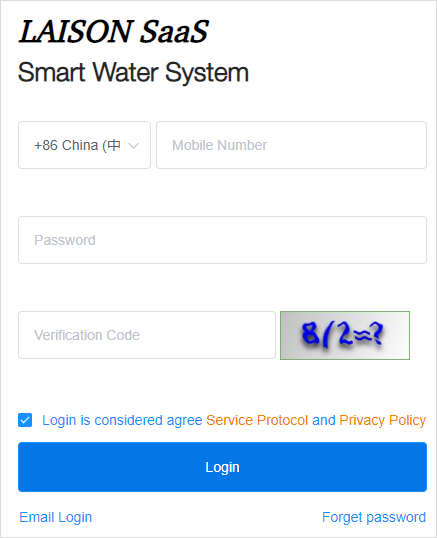
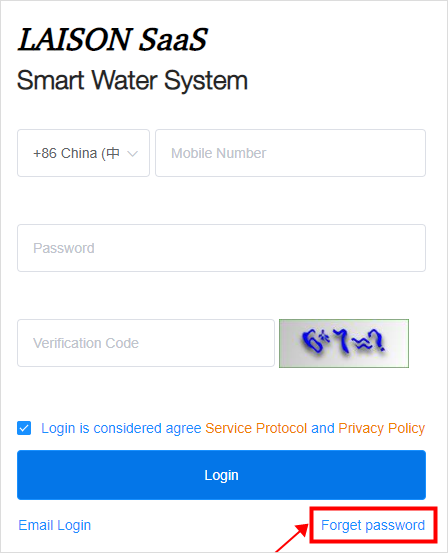
Select the country code of your mobile phone(+86 China is default) and fill in your mobile phone number, password and validate code to log in.
#### **b) Email login**
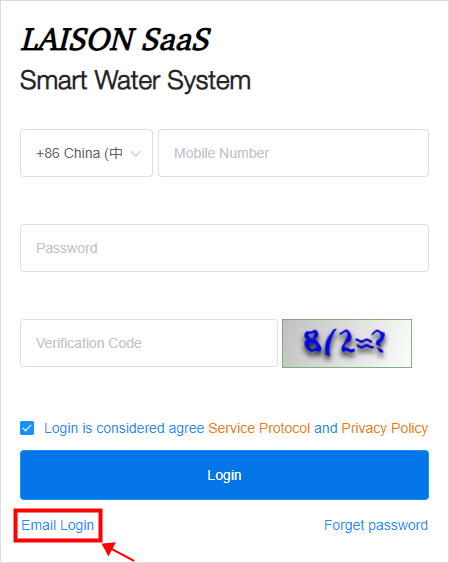
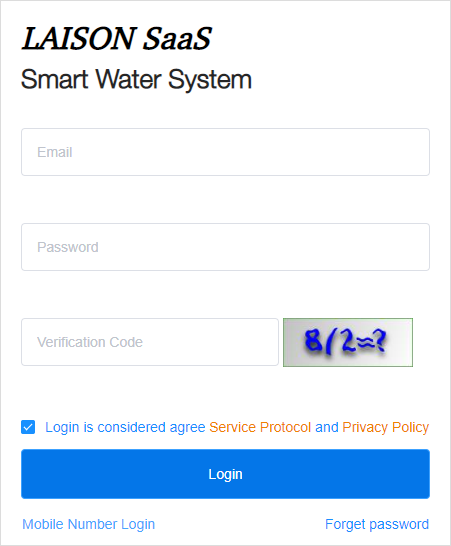
Click "Email Login" at the bottom left corner to switch to the Email login interface. Fill in the Email, PSW and validate code to login.
#
#
## **3. Log Out**
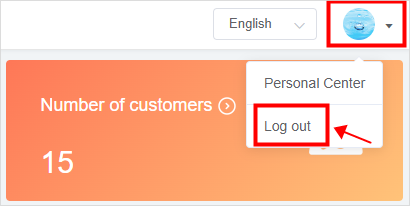
You can log out of the current account by clicking the drop-down button at the top right corner of your profile photo and selecting "Log out".
#
## **4. Forget PSW**
**Note:** You can retrieve your password by both cell phone number and email.
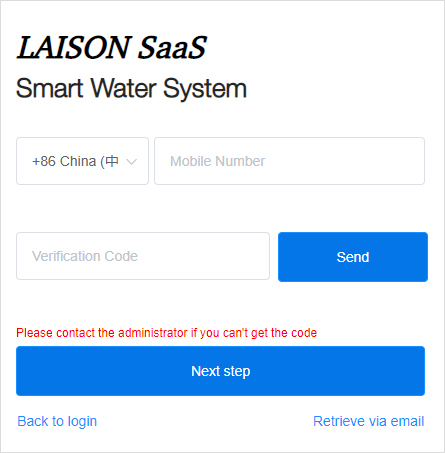
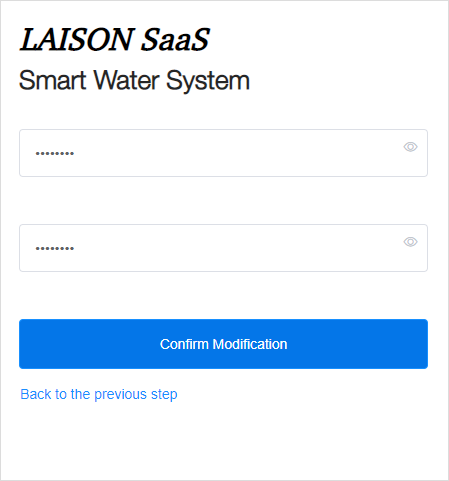
Click Forget password, enter your mobile number or email , then enter the verification code, click Next step, and enter a new password to reset the password.
- The Document Overview
- 1.System Overview
- 2.Overview of the System
- 3.System Operation Process Guide
- 4.Detailed Description of System Operations
- 4.1 System Login and Logout
- 4.2 Personal Center
- 4.3 Dashboard
- 4.4 System Management
- 4.4.1 Dept.Management
- 4.4.2 Staff Management
- 4.4.3 Role Management
- 4.5 Meter Management
- 4.5.1 Meter Import
- 4.6 Customer Management
- 4.6.1 Customer Type
- 4.6.2 Registration
- 4.7 Meter Reading Center
- 4.7.1 Meter Grouping
- 4.7.2 Meter Reading Data
- 4.8 Postpaid Center
- 4.8.1 Tariff Scheme
- 4.8.2 Account Management
- 4.9 Prepaid Center
- 4.9.1 Tariff Scheme
- 4.9.2 Account Management
- 4.9.3 Card Management
- 5.0 Monitoring Alarm
- 5.0.1 Alarm Record
- 5.0.2 Alarm Options
- 5.1 Report Management
- 5.1.1 Water Comsumption Report
- 5.1.2 Meter Report