<ruby id="bdb3f"></ruby>

    <p id="bdb3f"><cite id="bdb3f"></cite></p>

      <p id="bdb3f"><cite id="bdb3f"><th id="bdb3f"></th></cite></p><p id="bdb3f"></p>
        <p id="bdb3f"><cite id="bdb3f"></cite></p>

          <pre id="bdb3f"></pre>
          <pre id="bdb3f"><del id="bdb3f"><thead id="bdb3f"></thead></del></pre>

          <ruby id="bdb3f"><mark id="bdb3f"></mark></ruby><ruby id="bdb3f"></ruby>
          <pre id="bdb3f"><pre id="bdb3f"><mark id="bdb3f"></mark></pre></pre><output id="bdb3f"></output><p id="bdb3f"></p><p id="bdb3f"></p>

          <pre id="bdb3f"><del id="bdb3f"><progress id="bdb3f"></progress></del></pre>

                <ruby id="bdb3f"></ruby>

                合規國際互聯網加速 OSASE為企業客戶提供高速穩定SD-WAN國際加速解決方案。 廣告
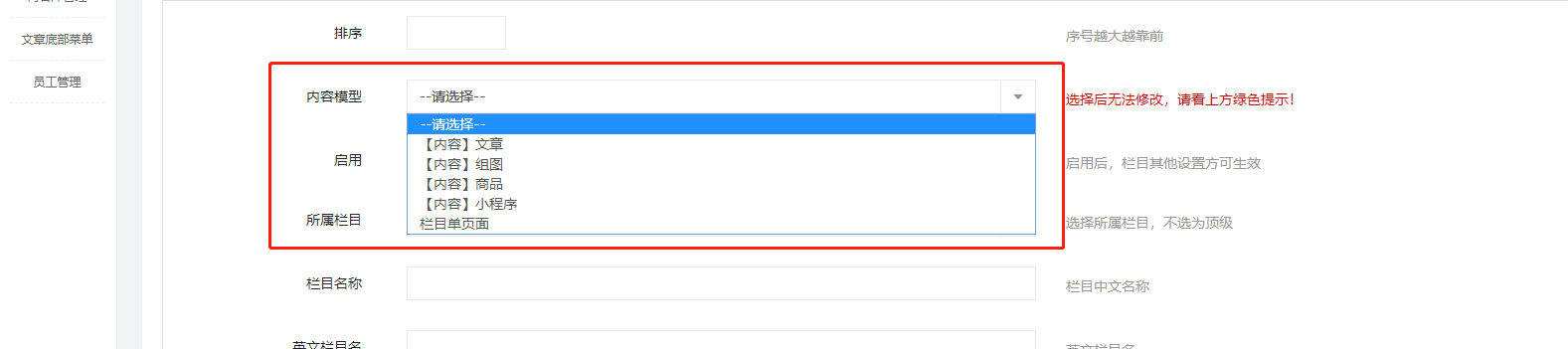
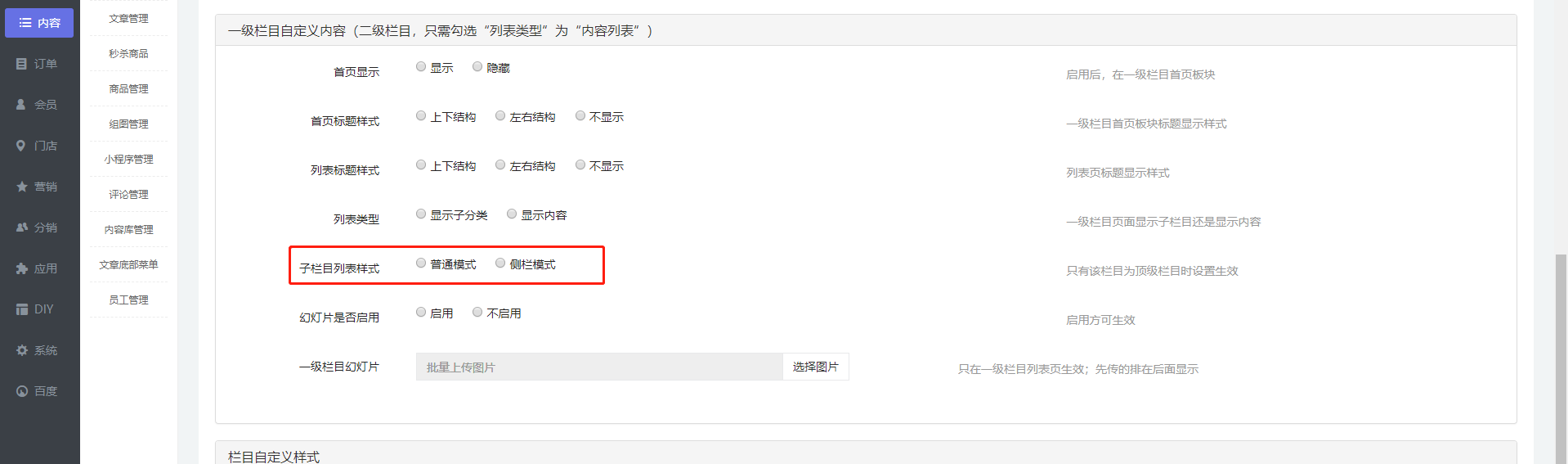
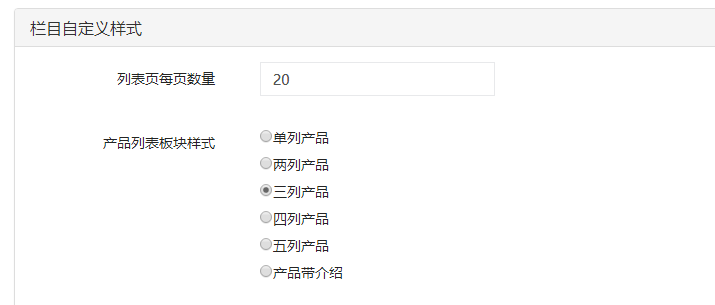
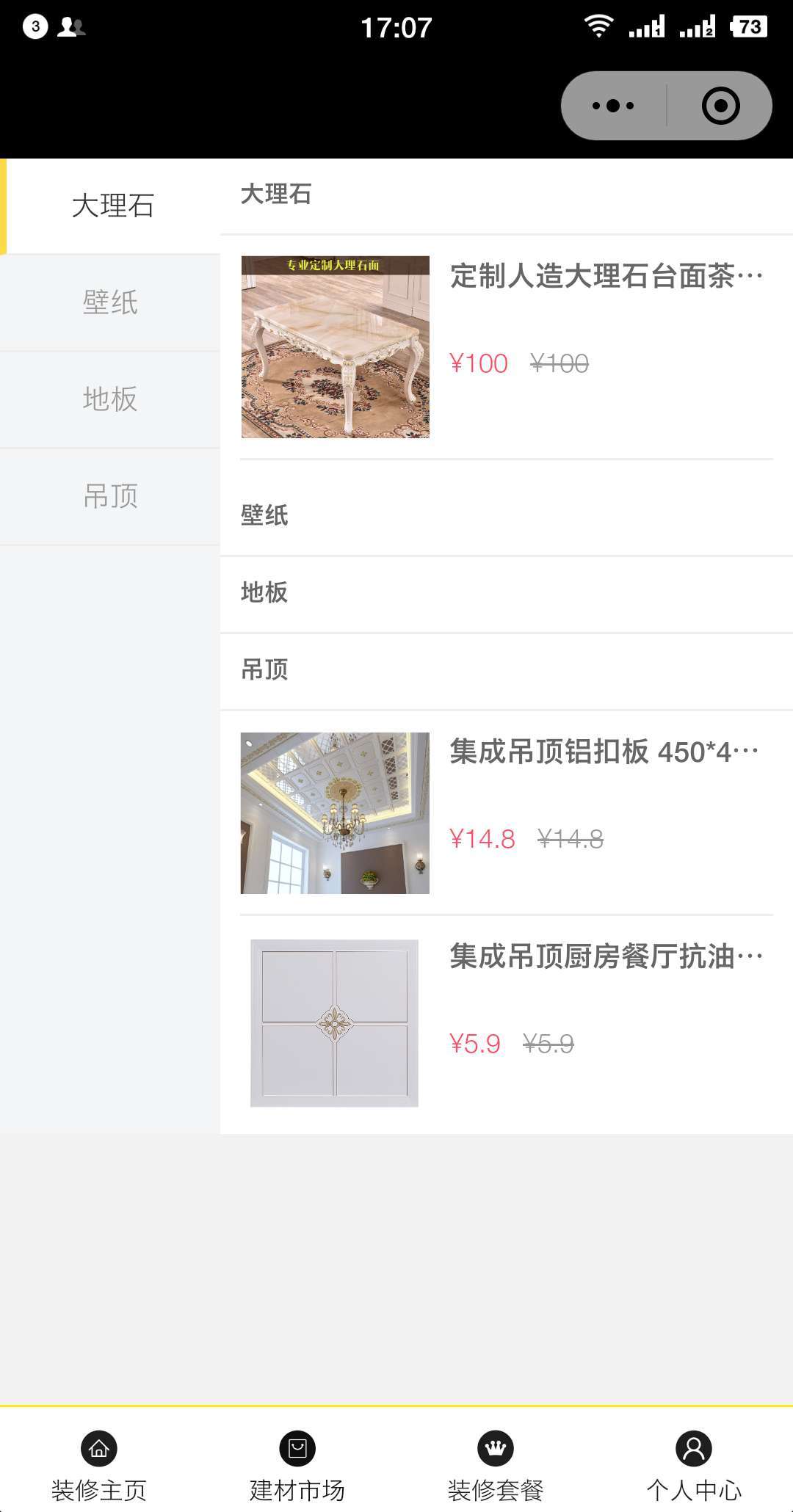
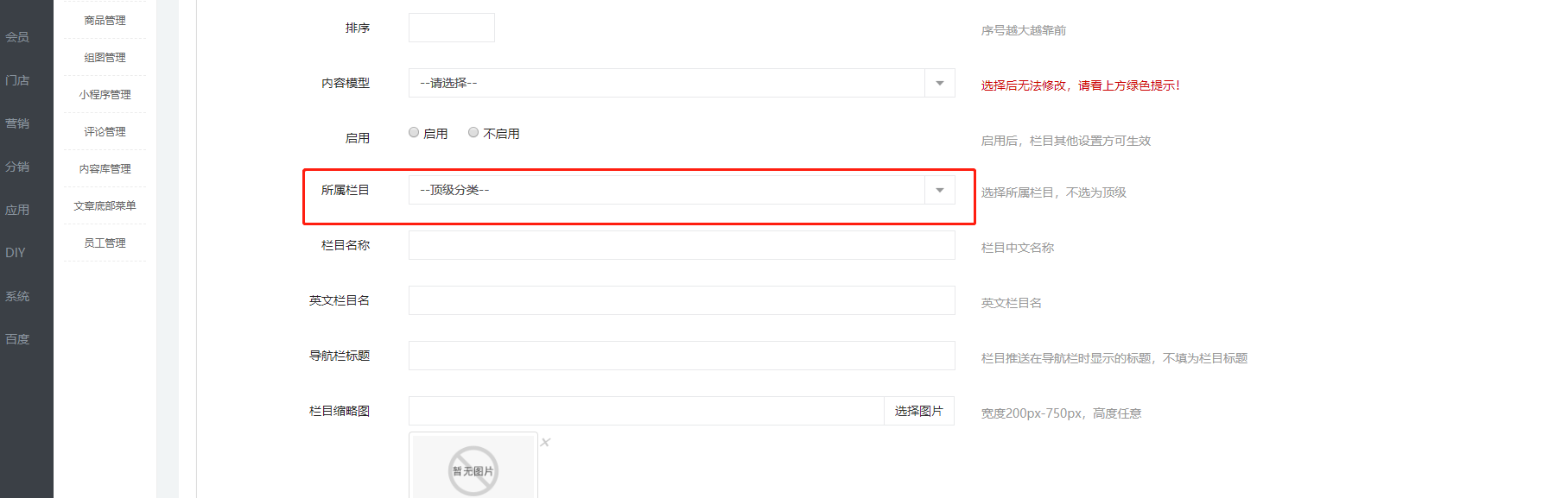
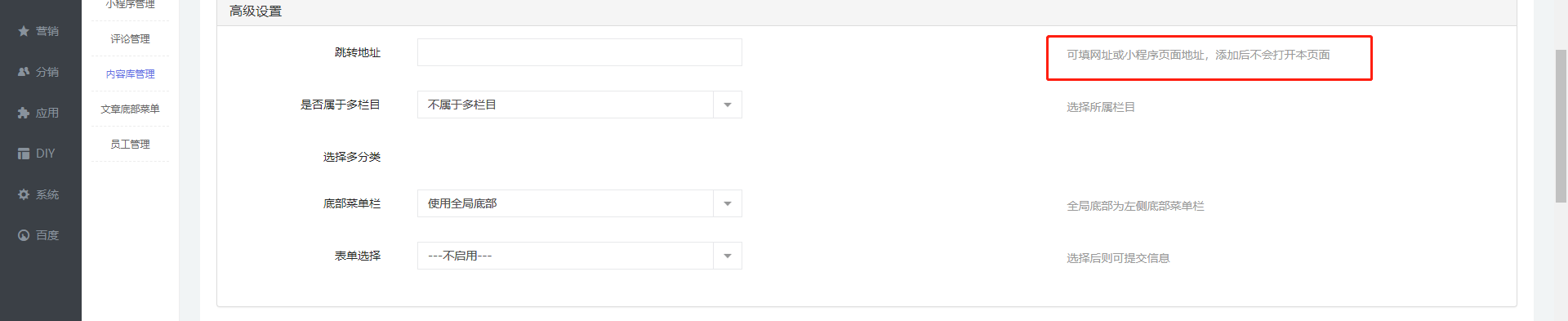
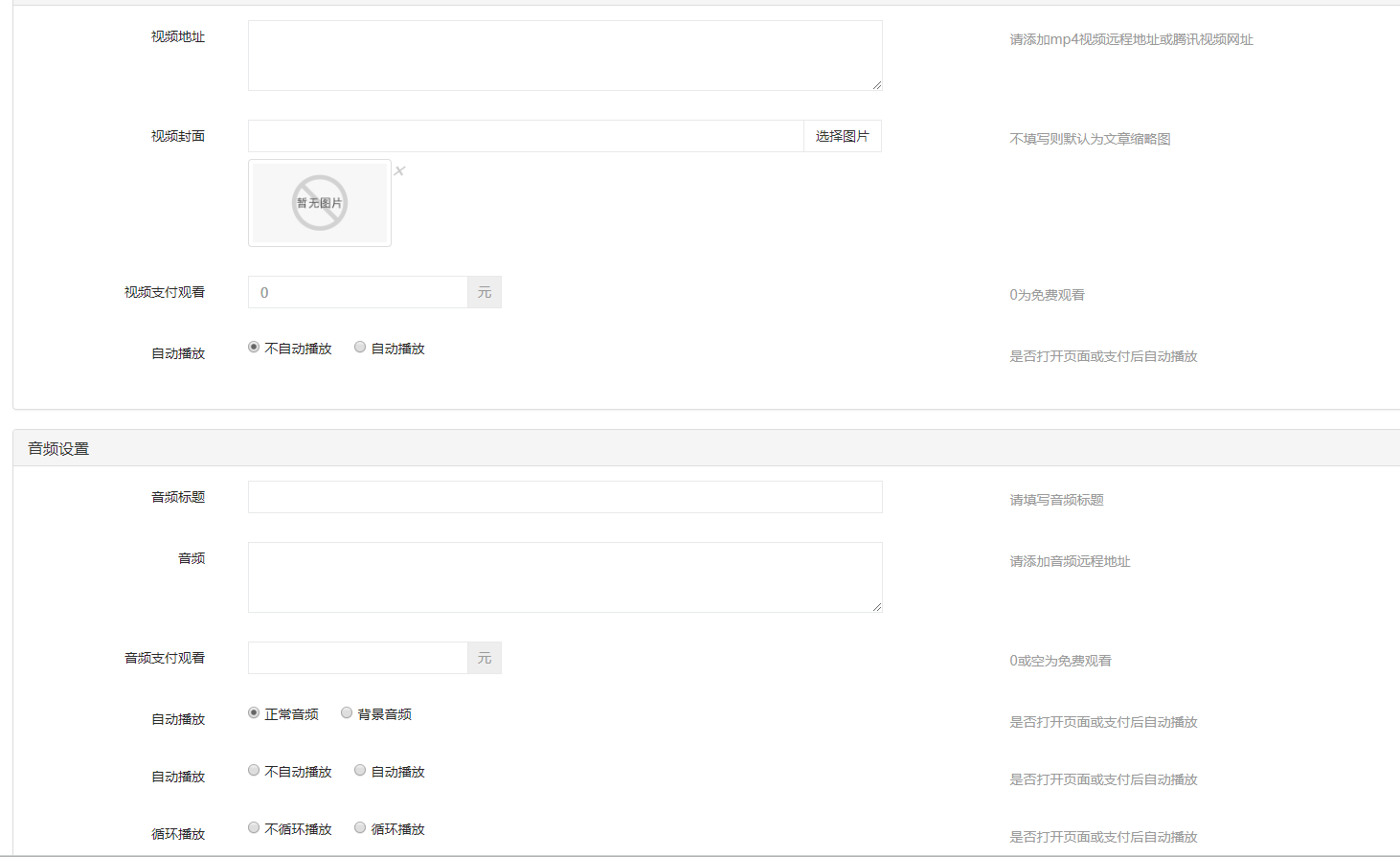
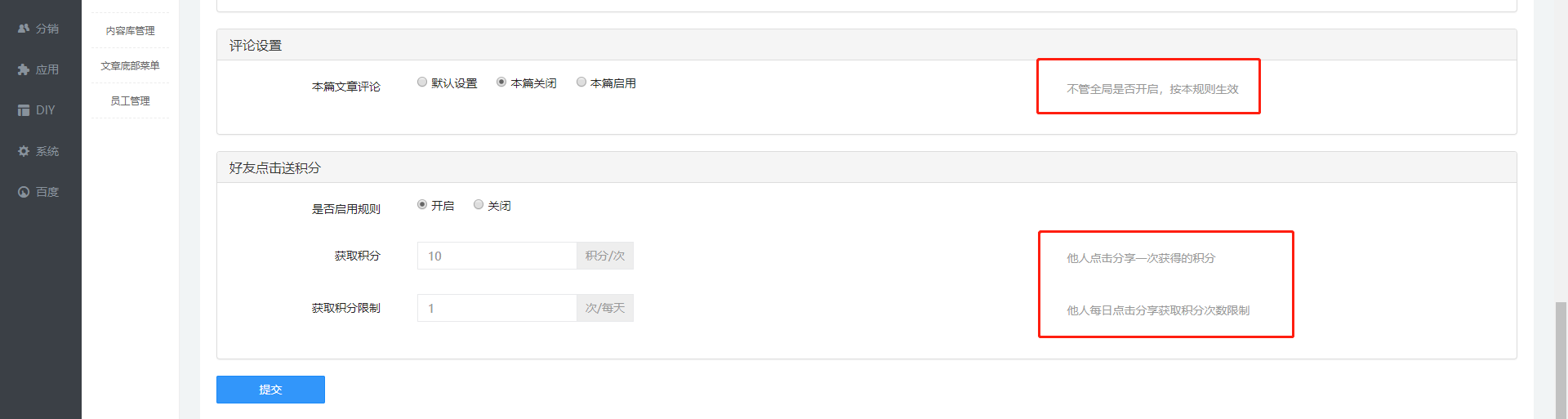
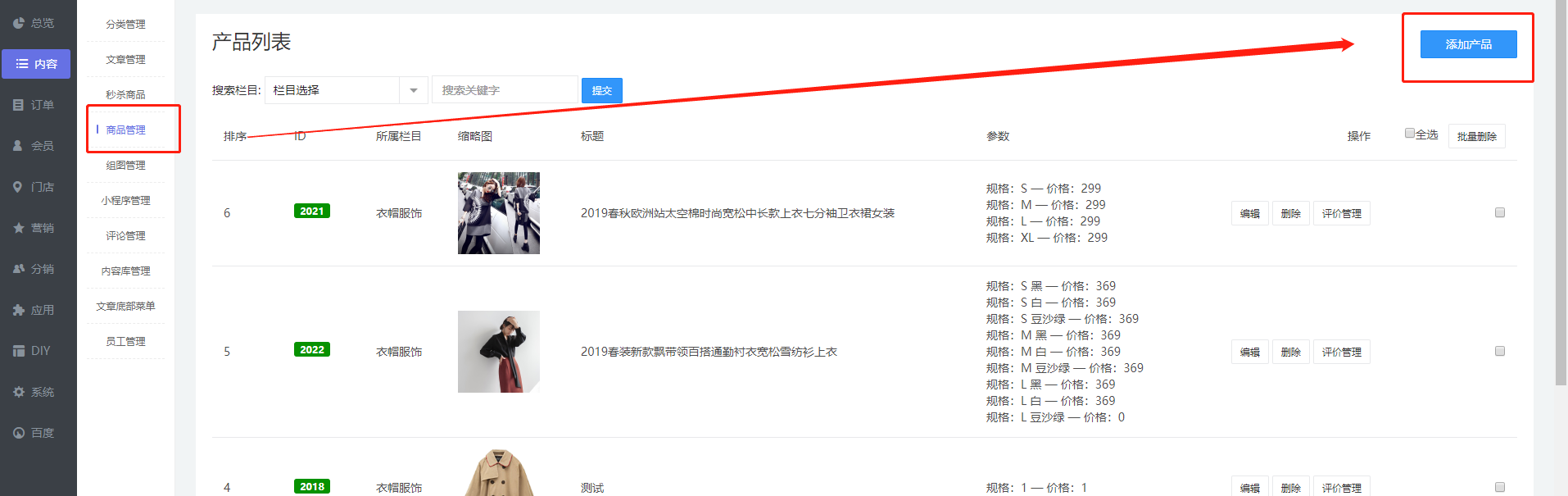
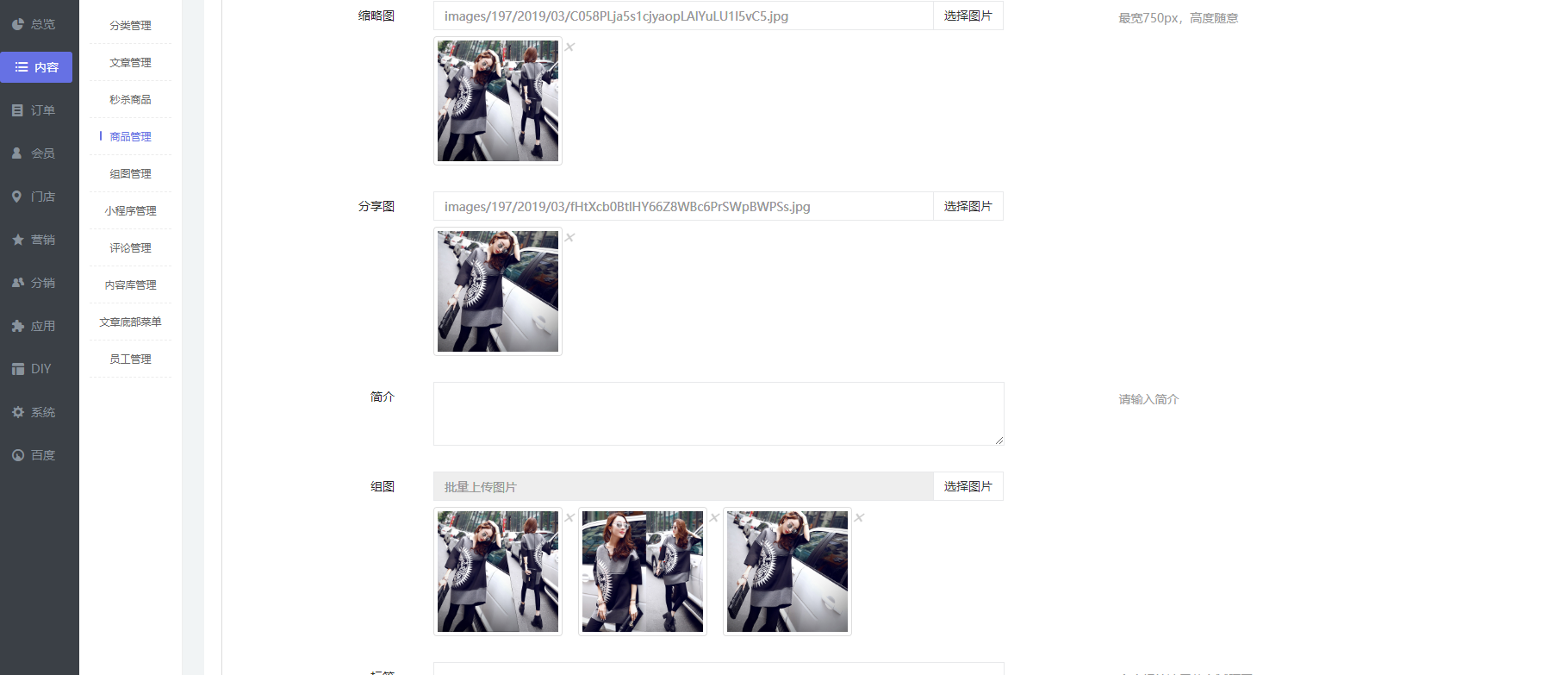
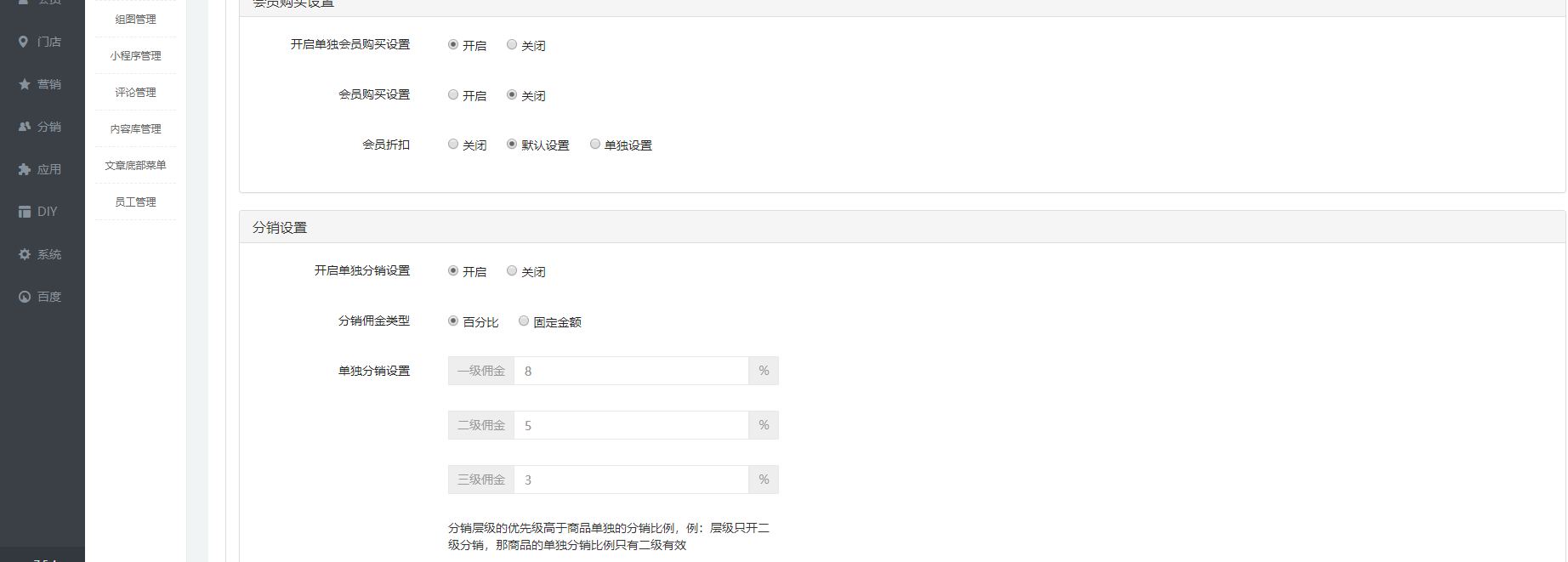
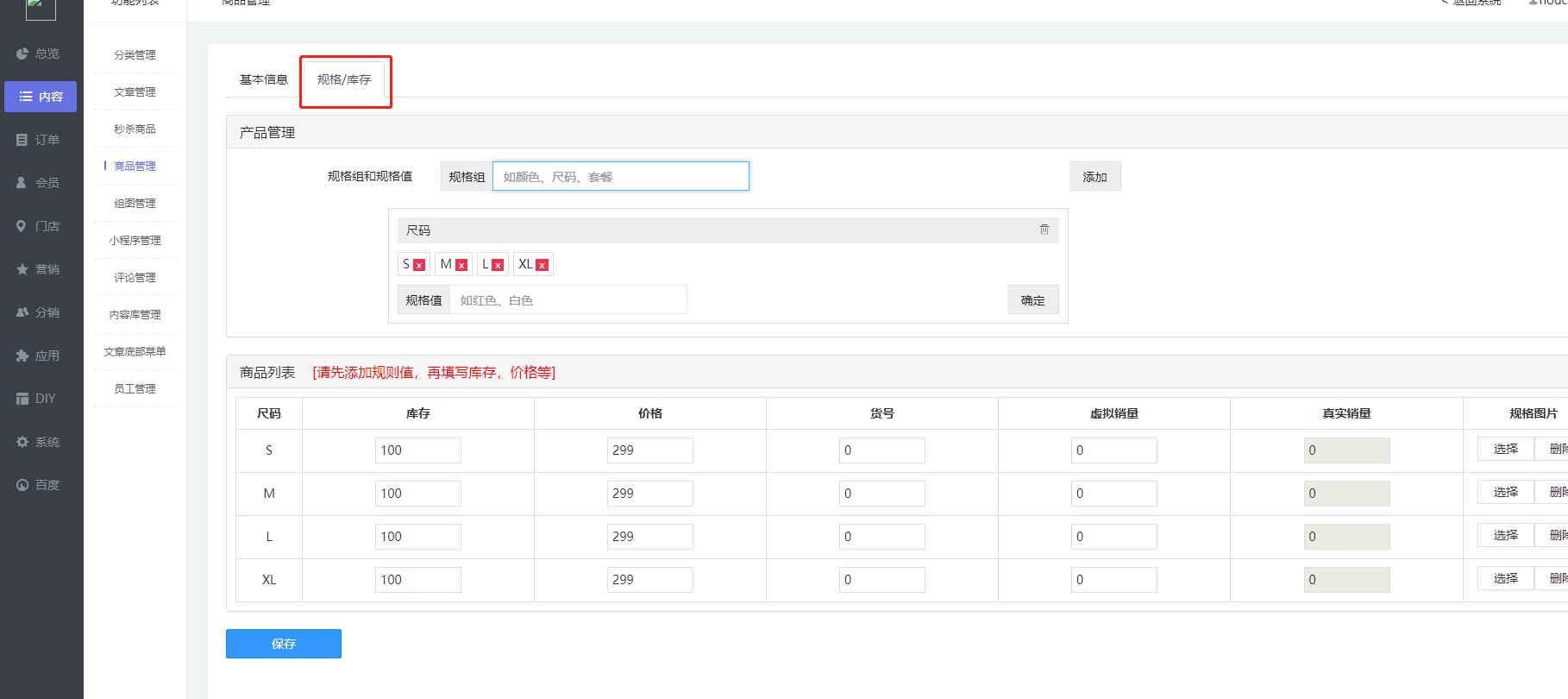
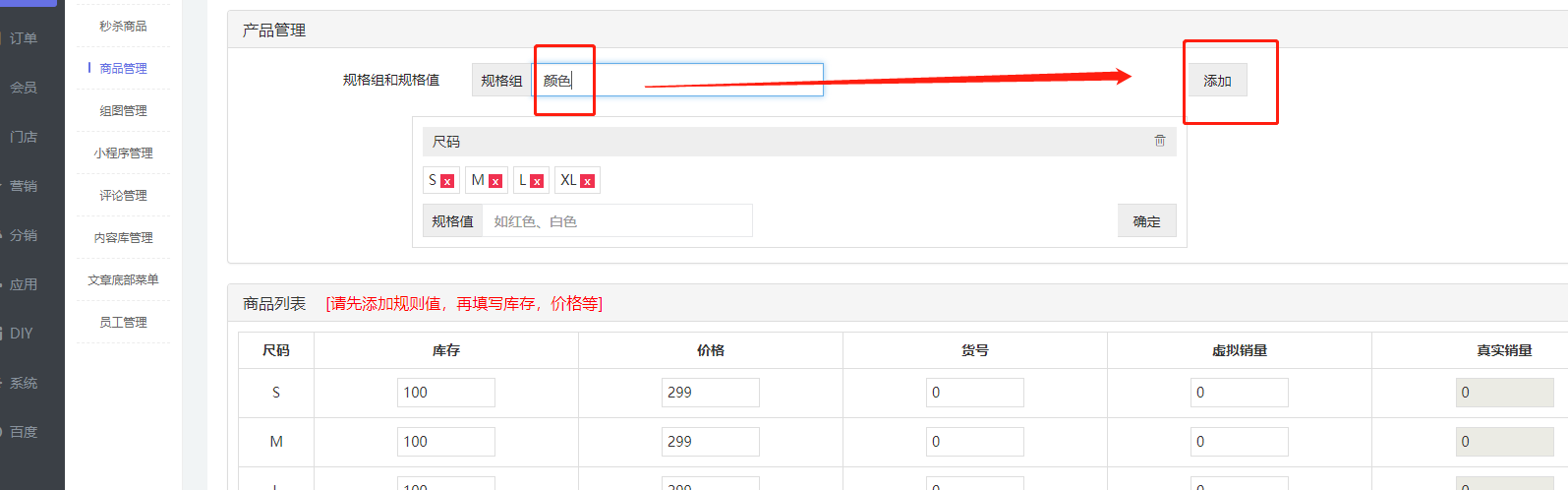
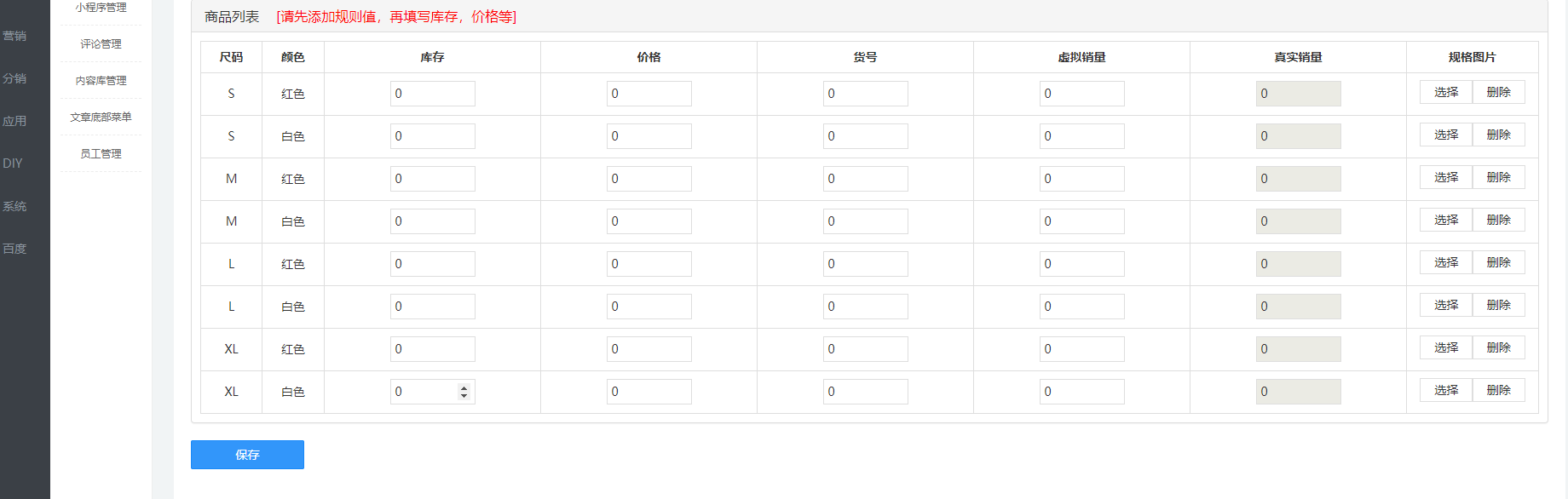
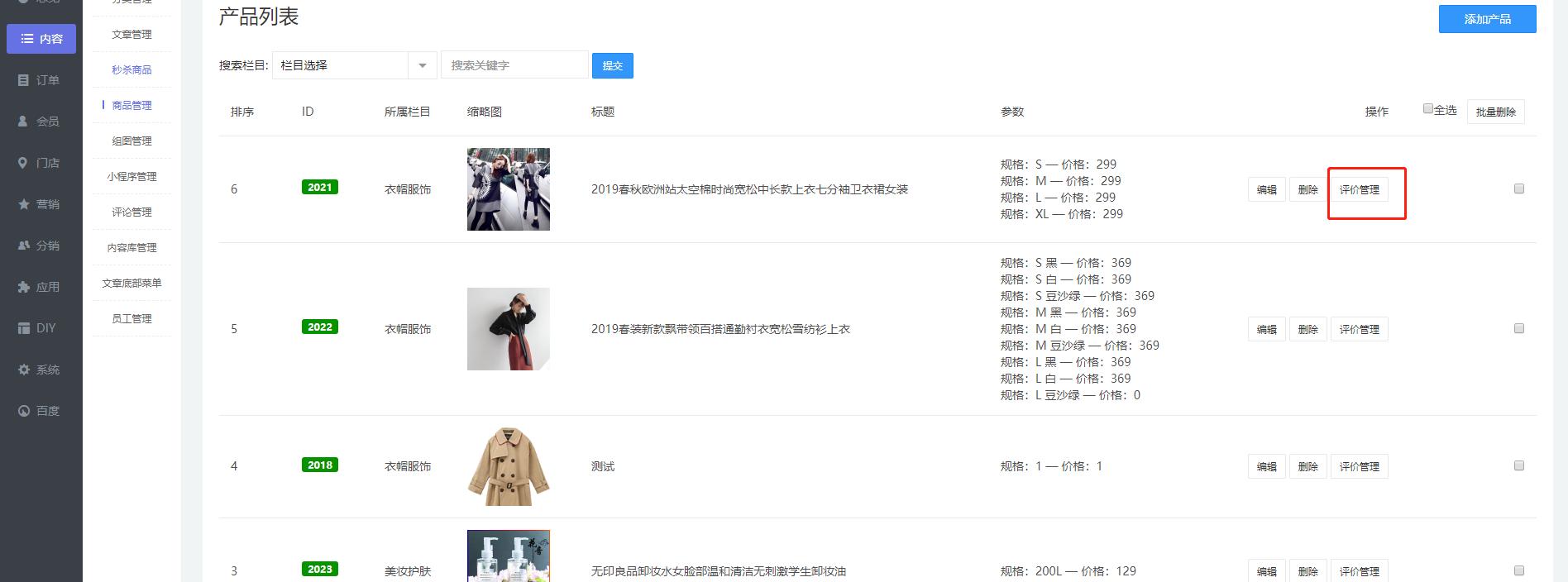
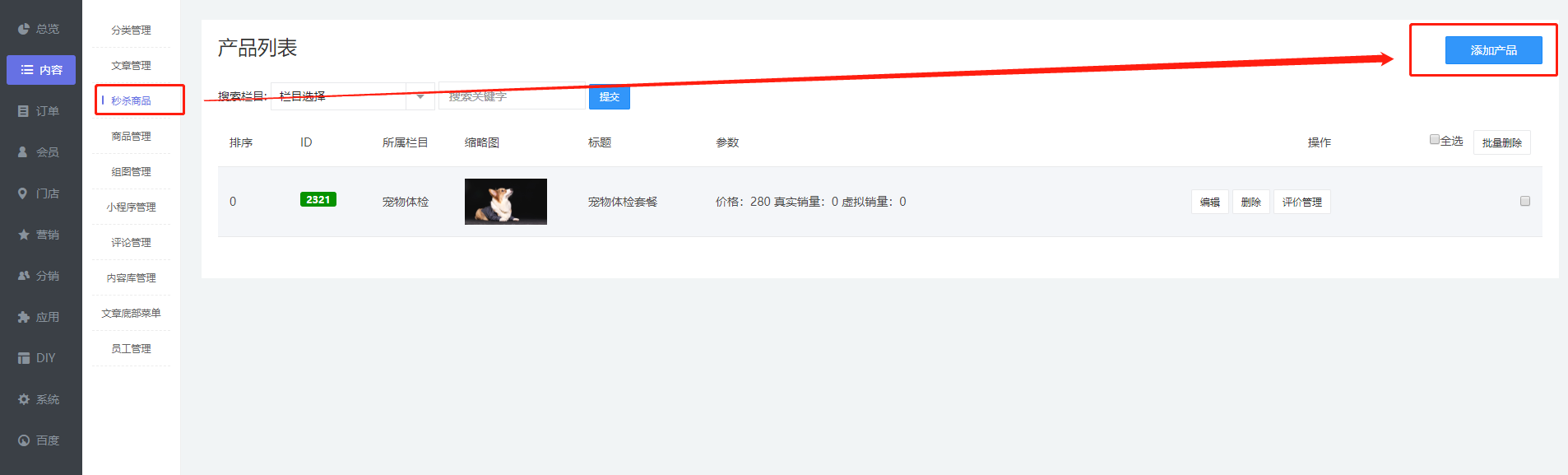
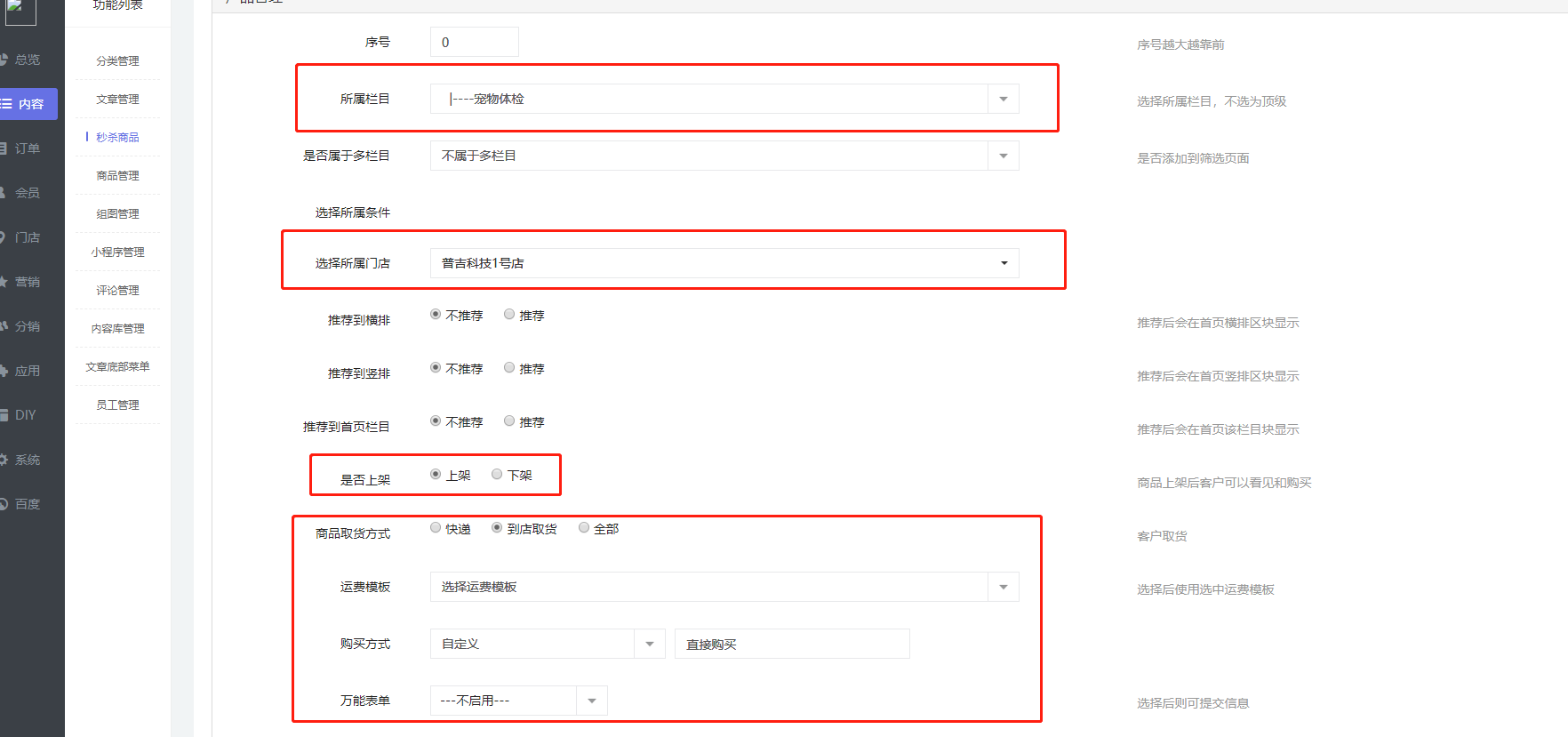
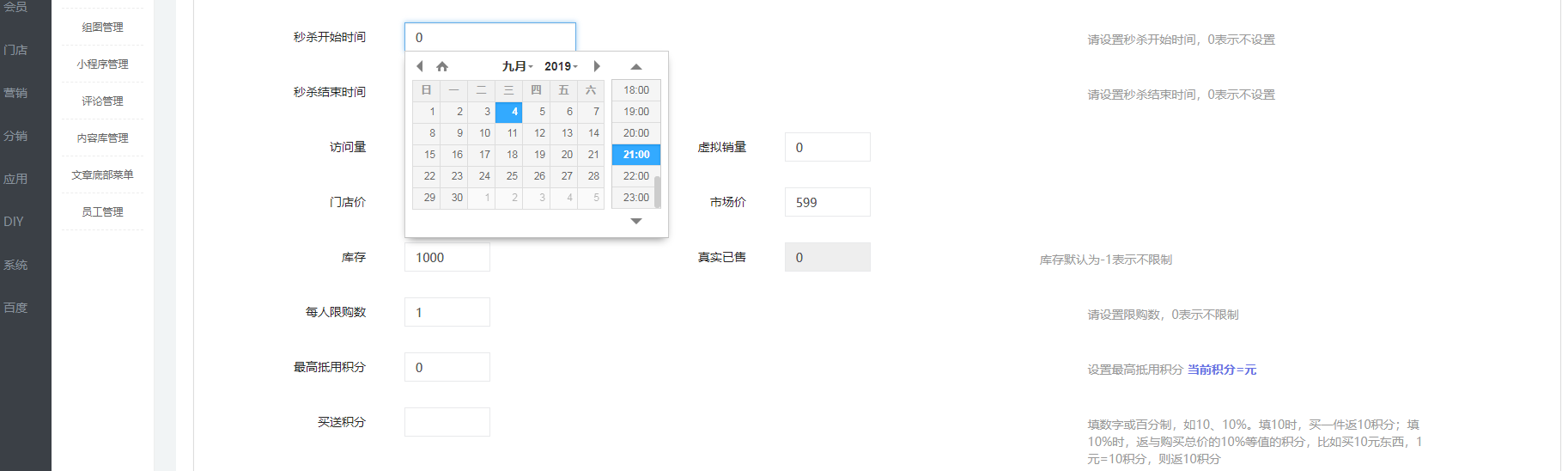
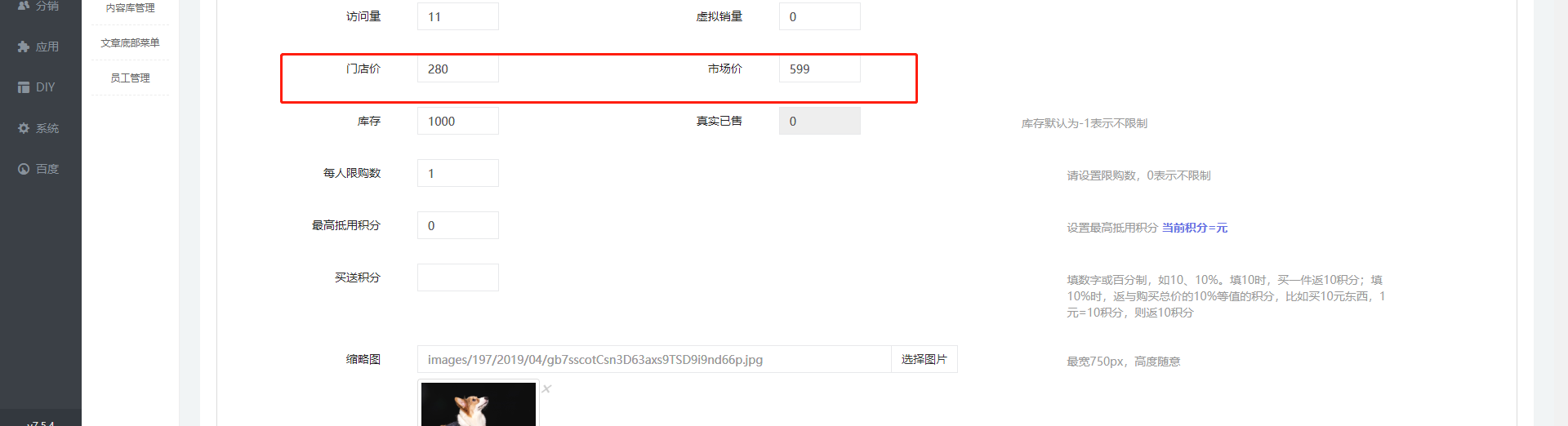
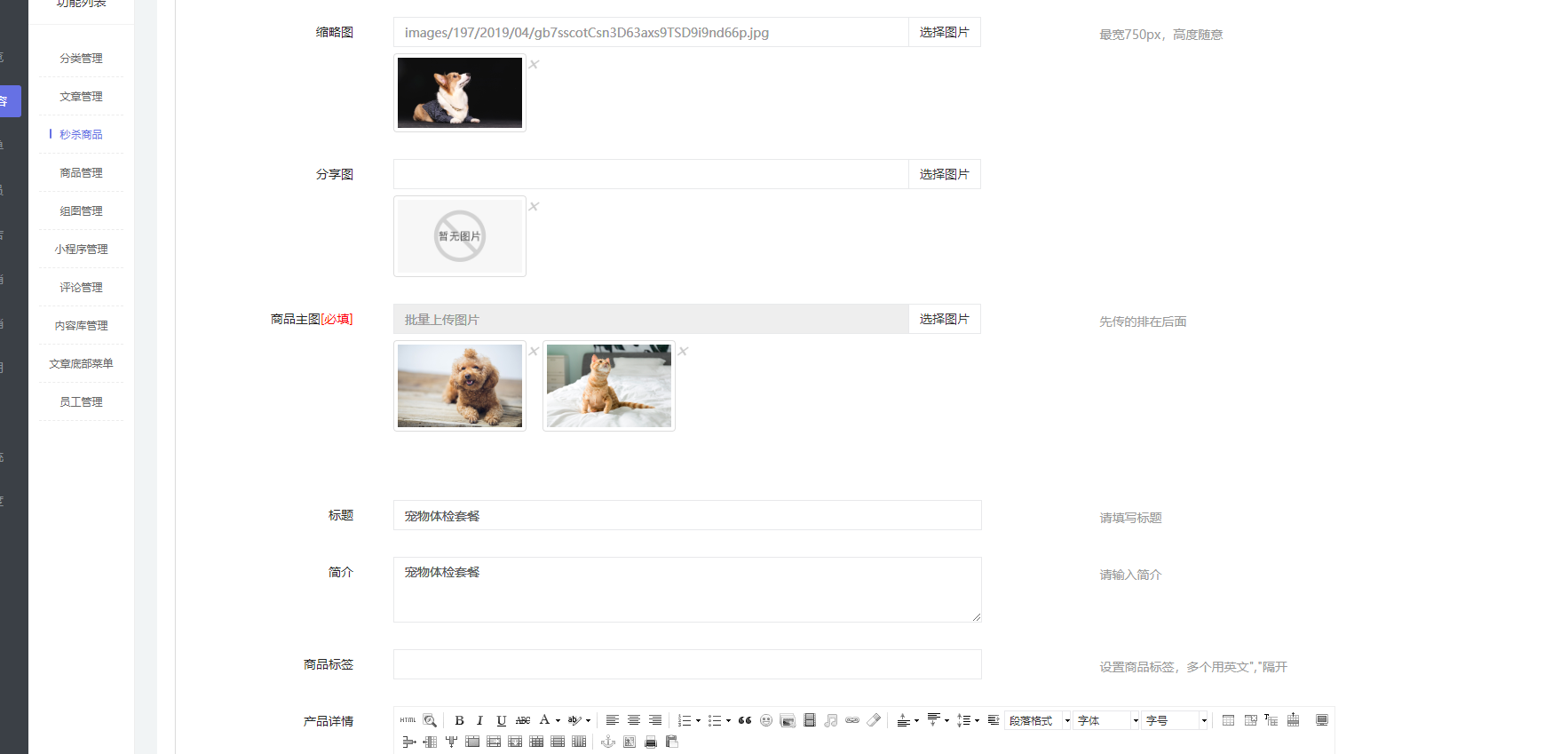
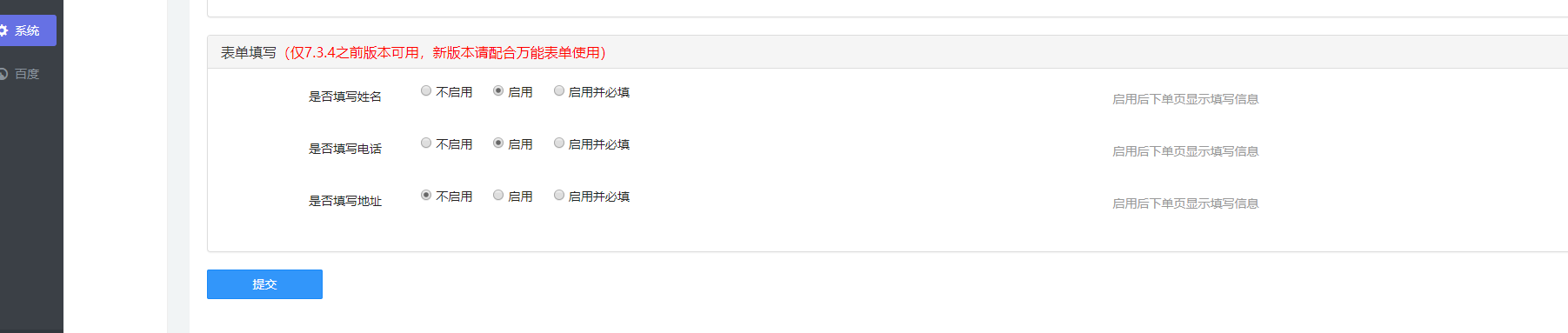
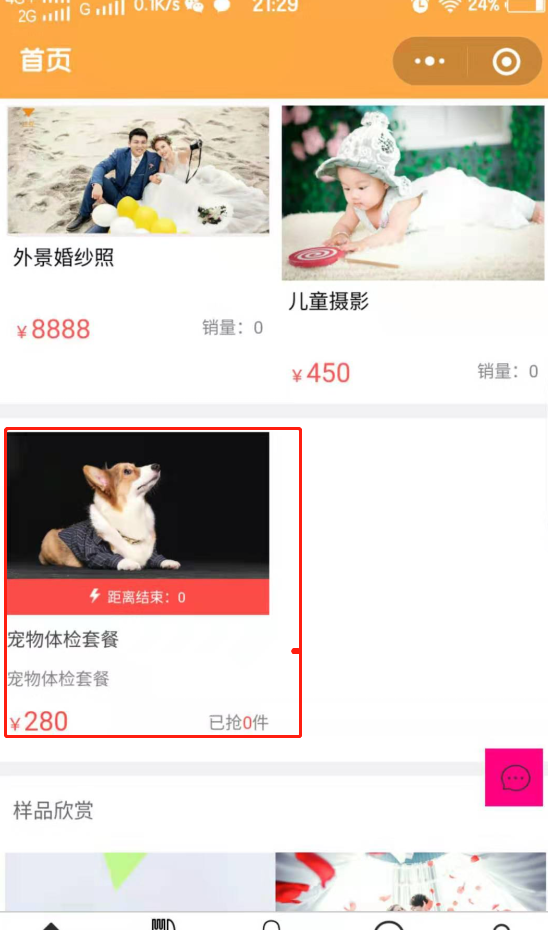
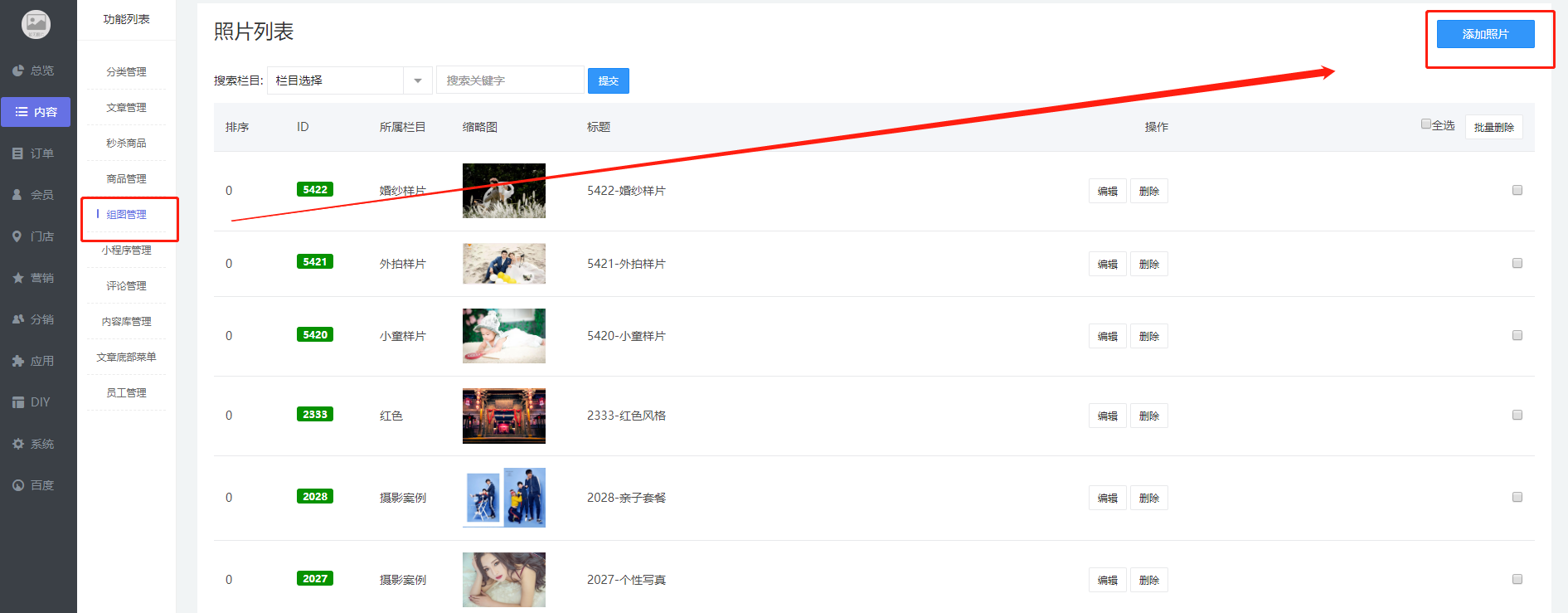
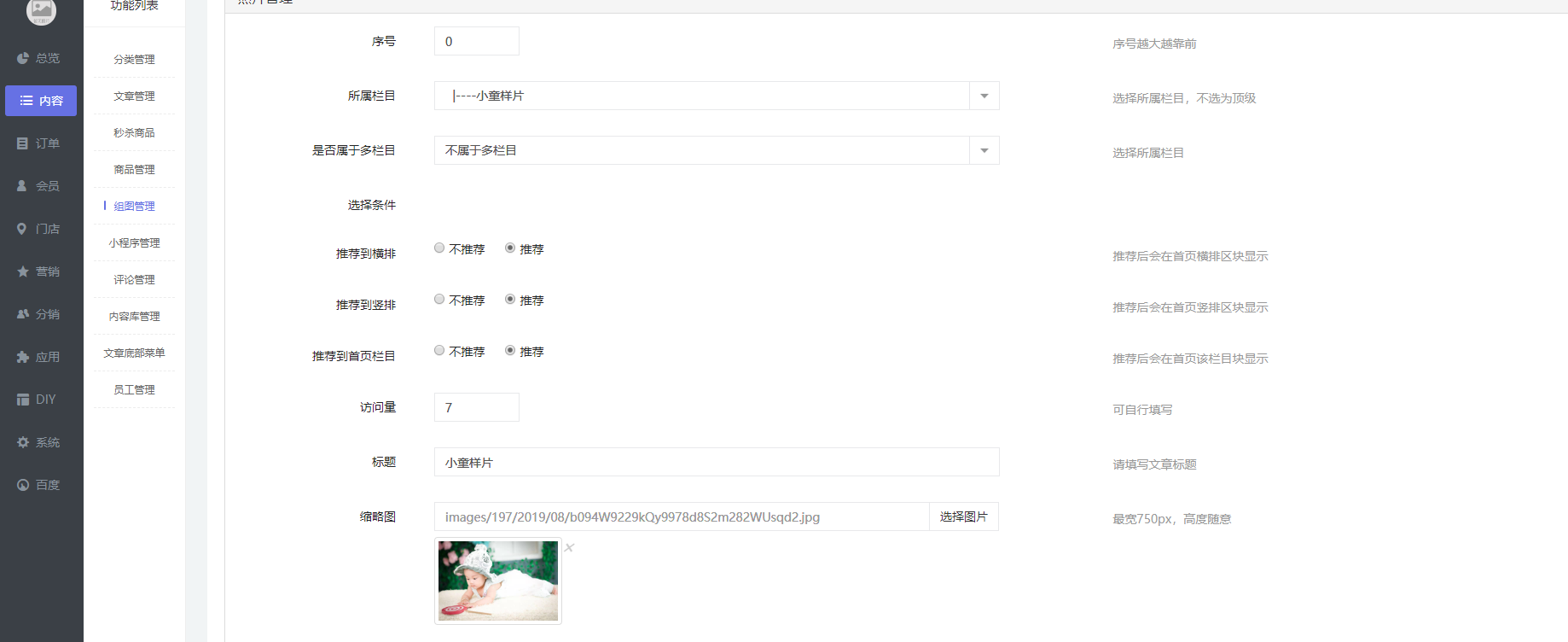
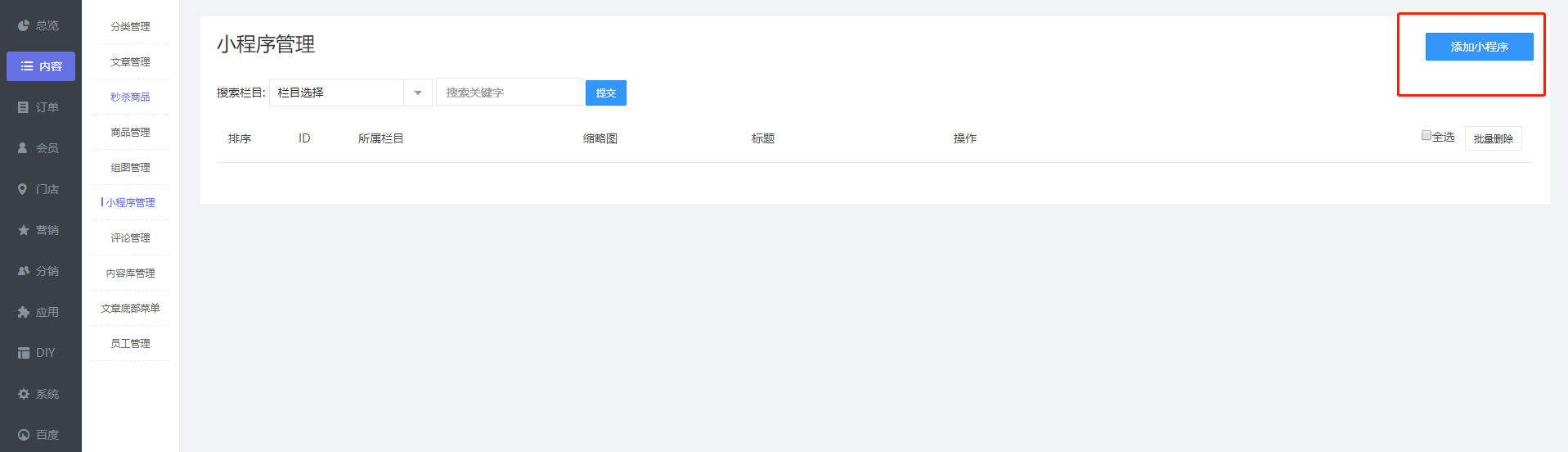
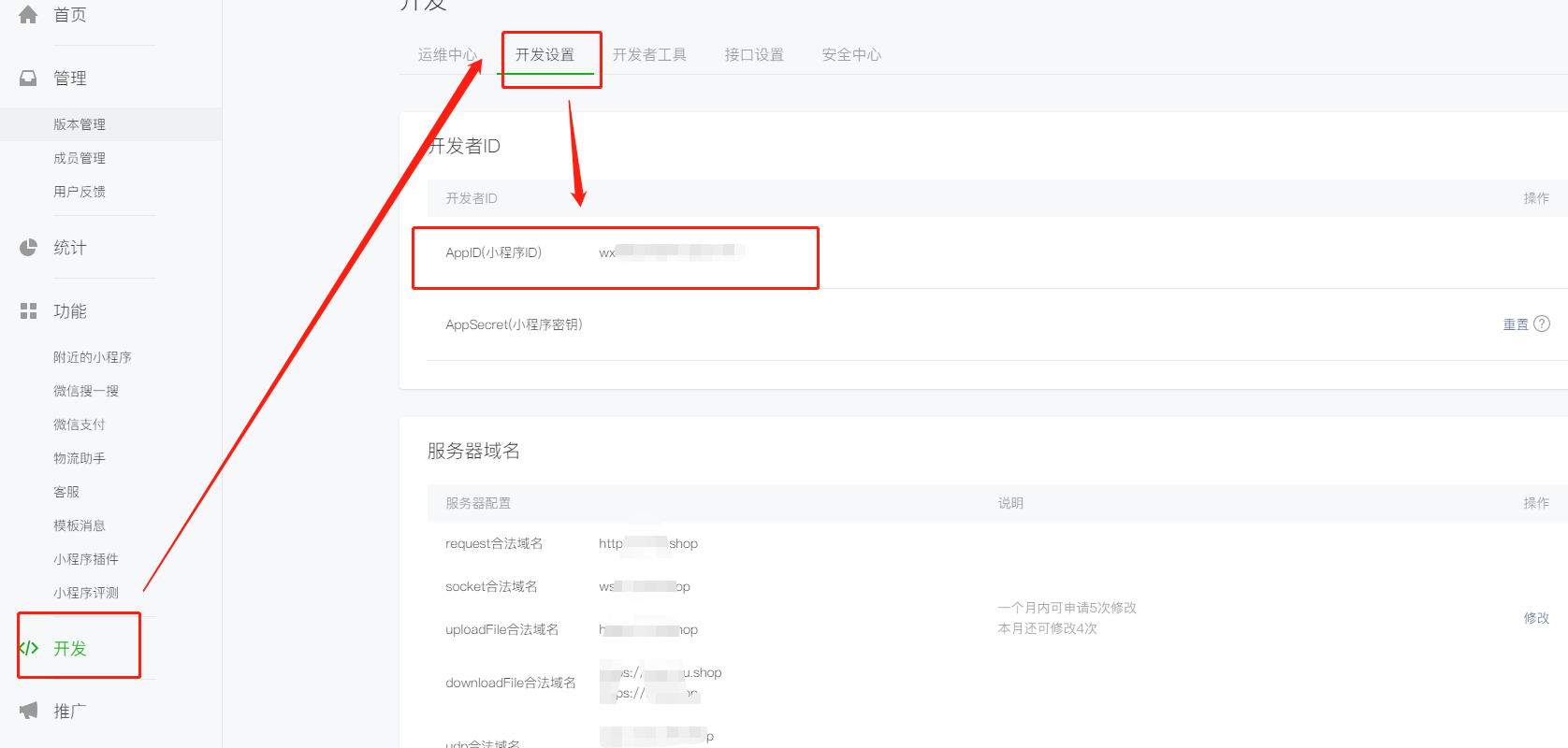
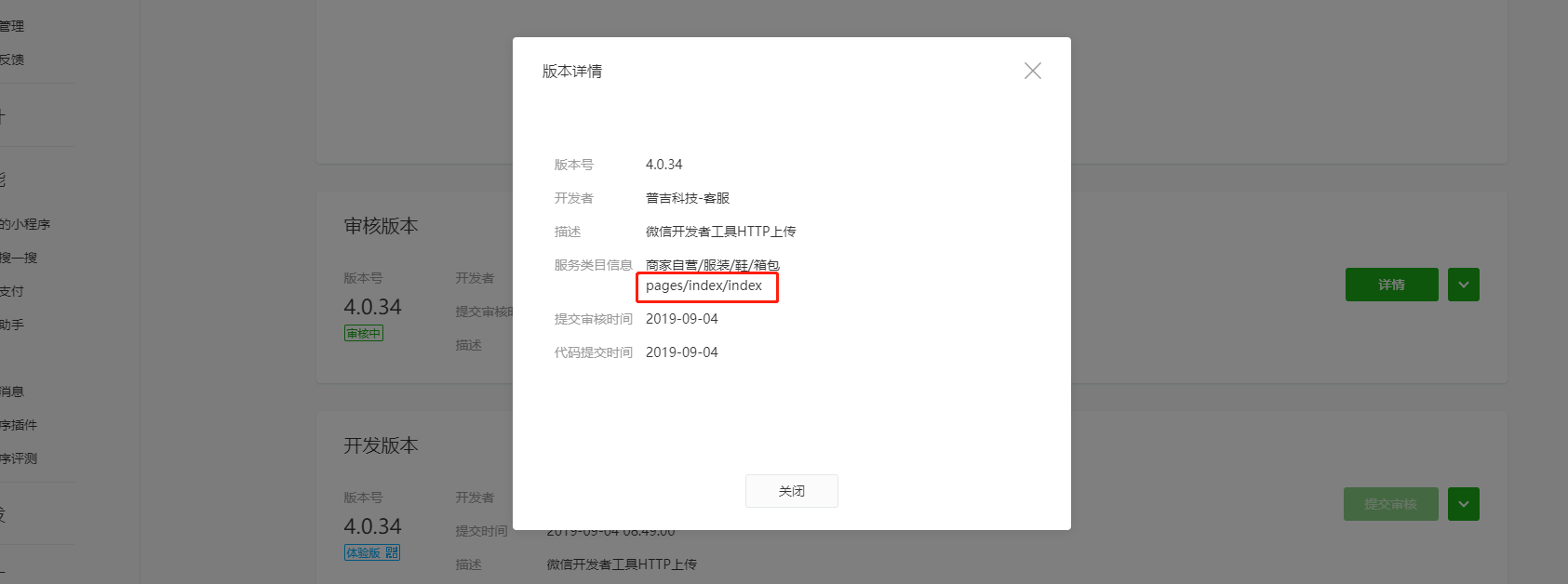
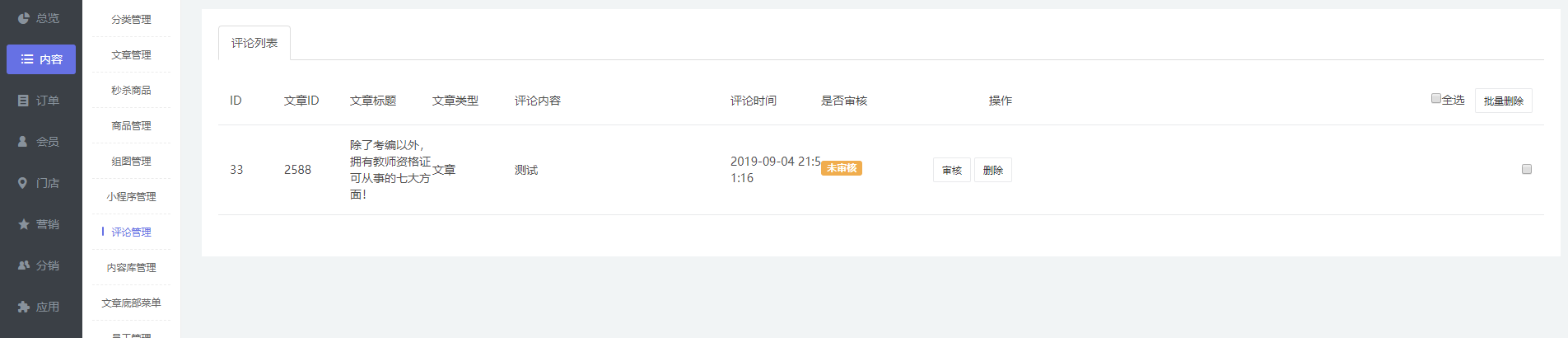
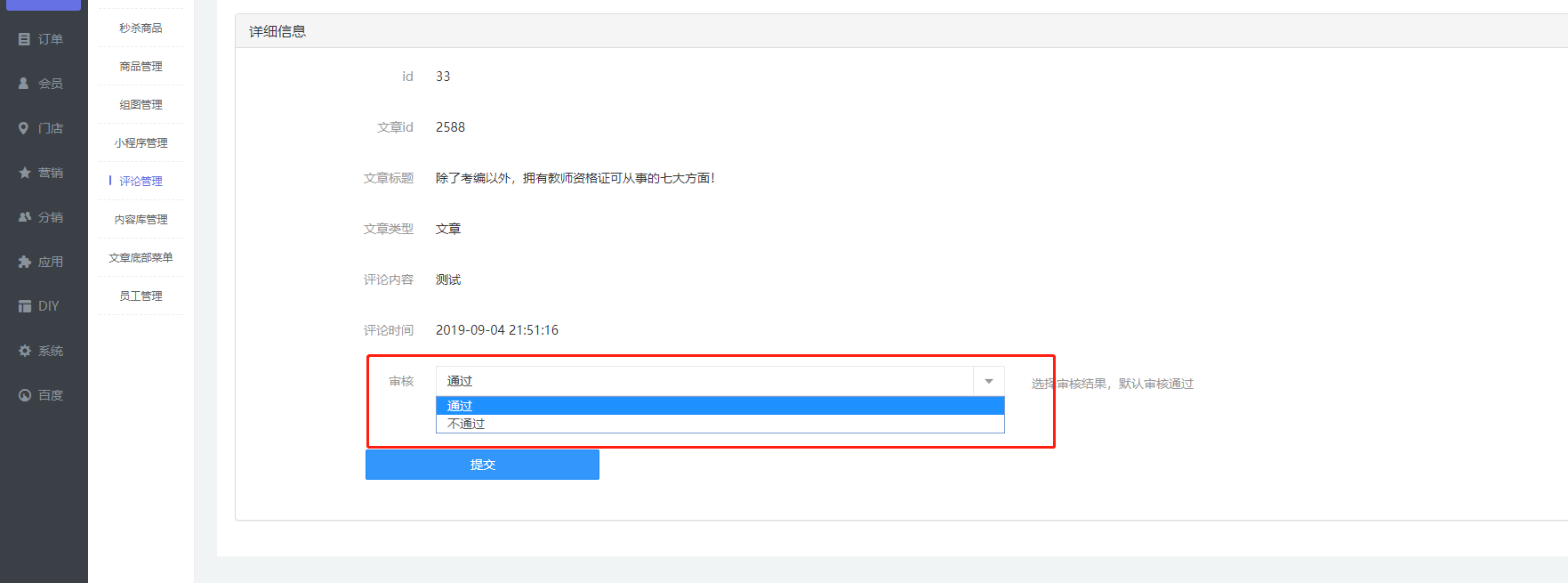
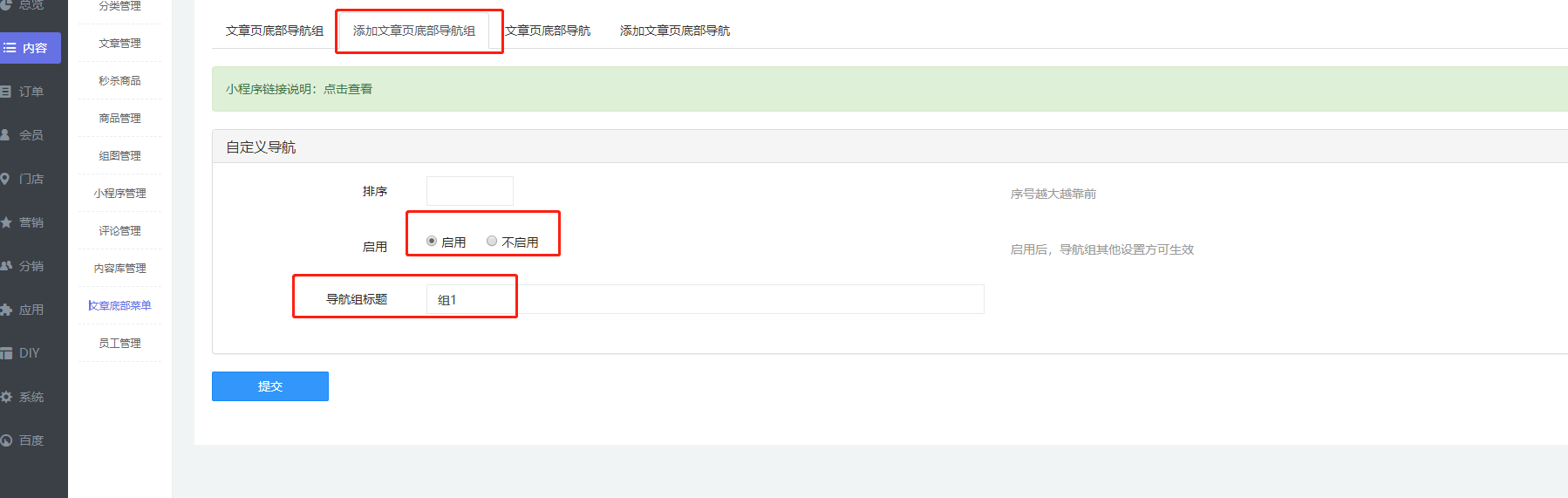
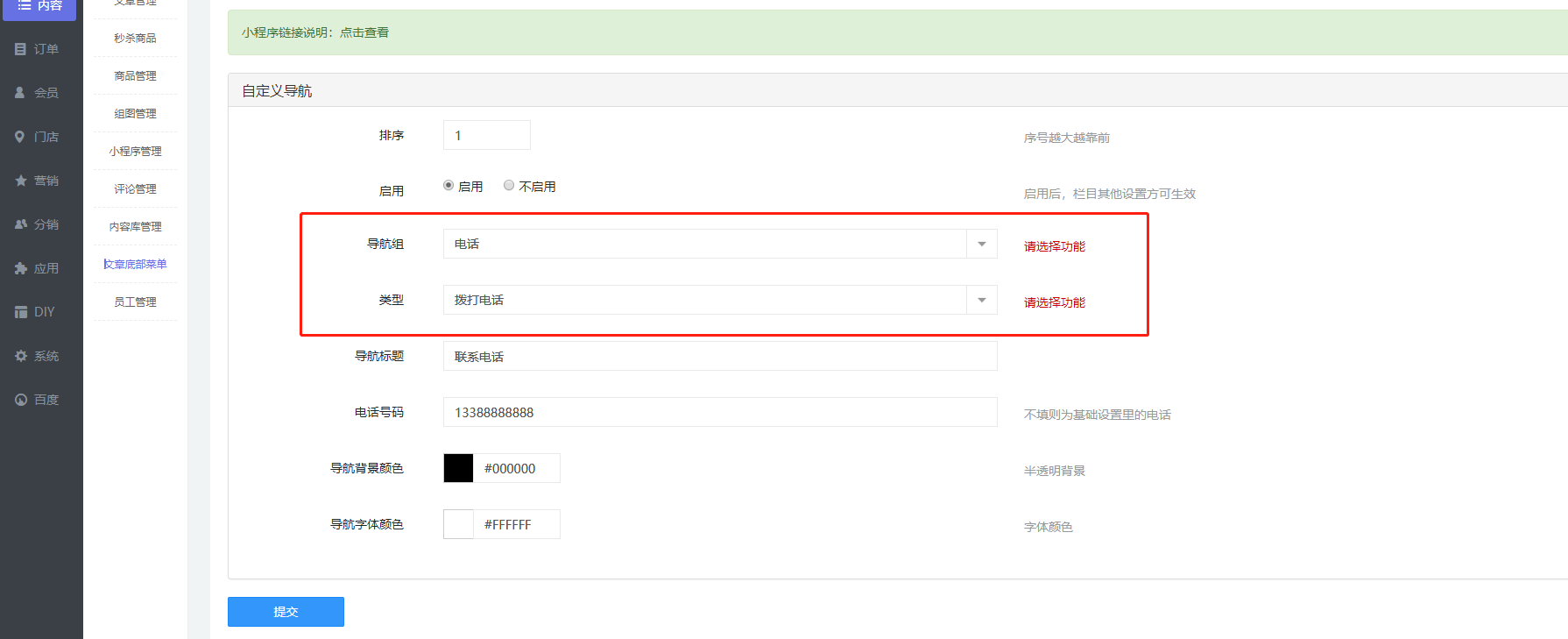
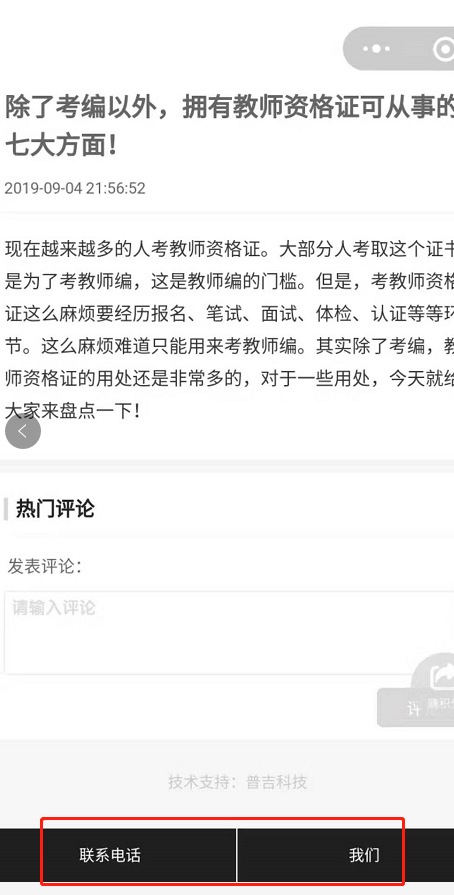
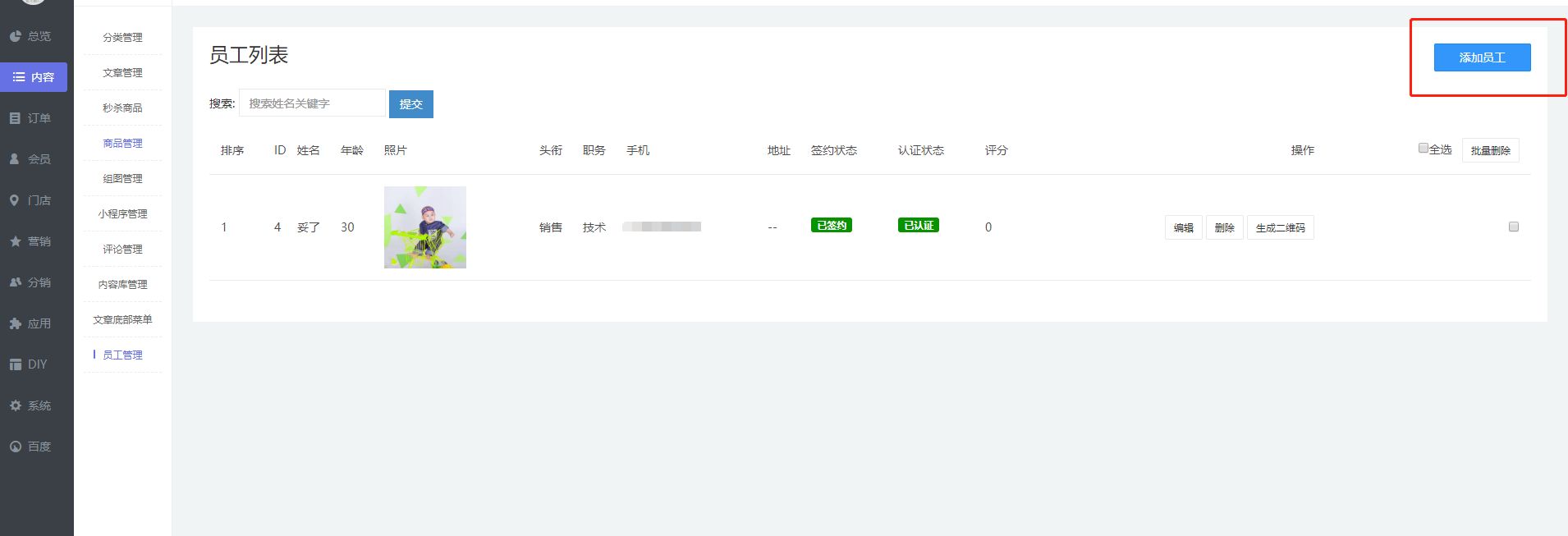
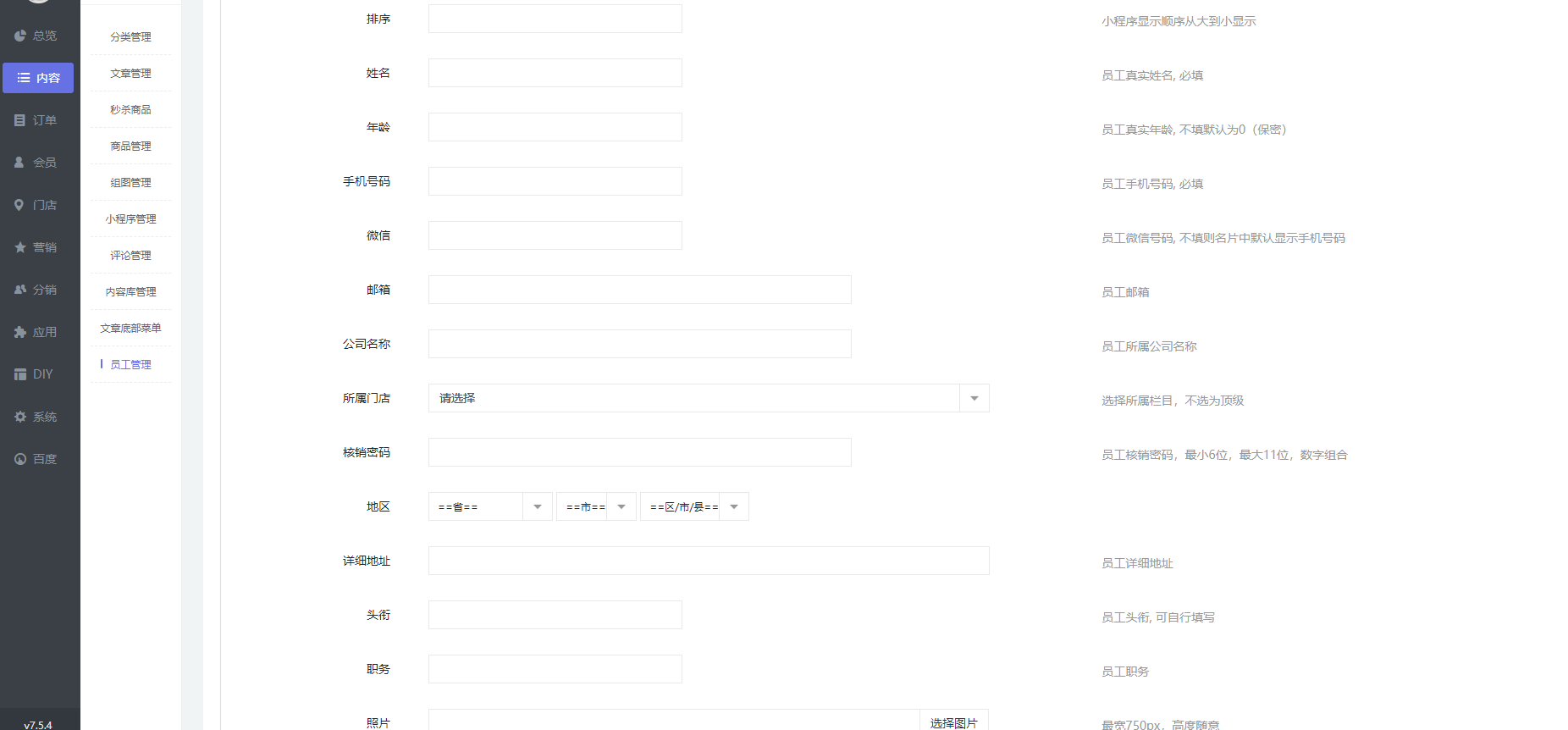
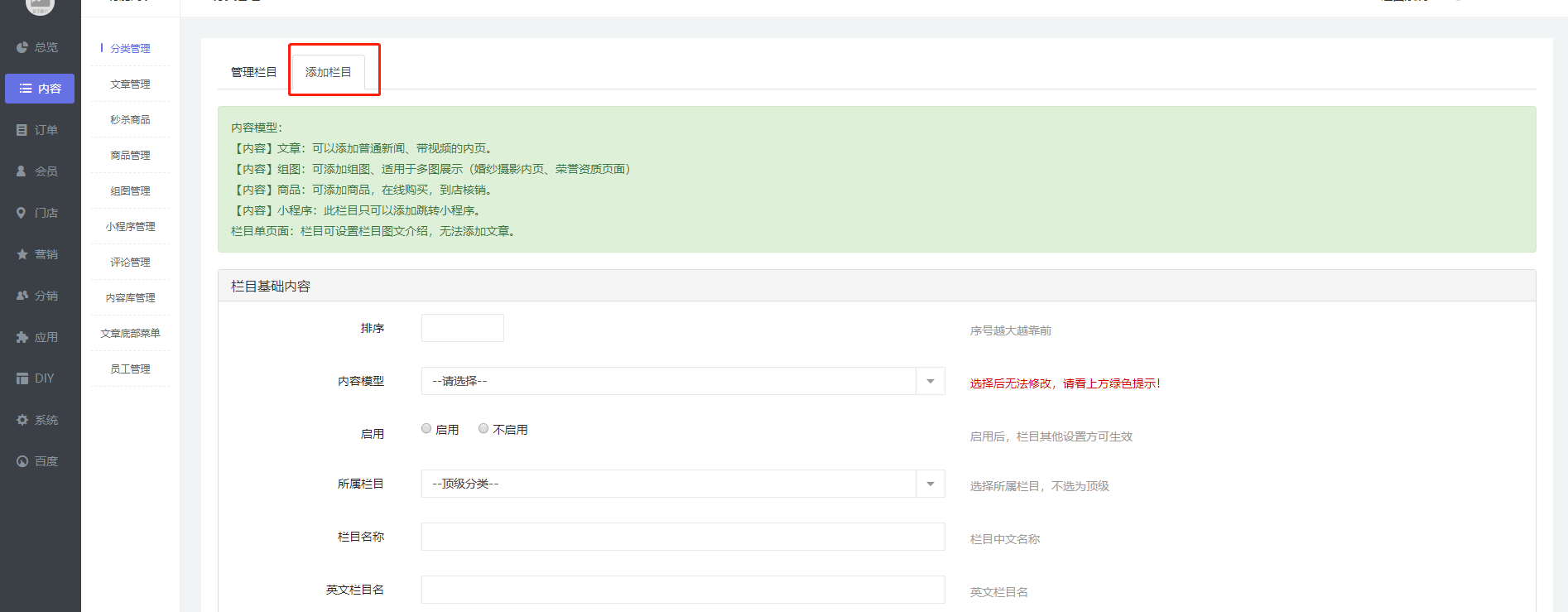
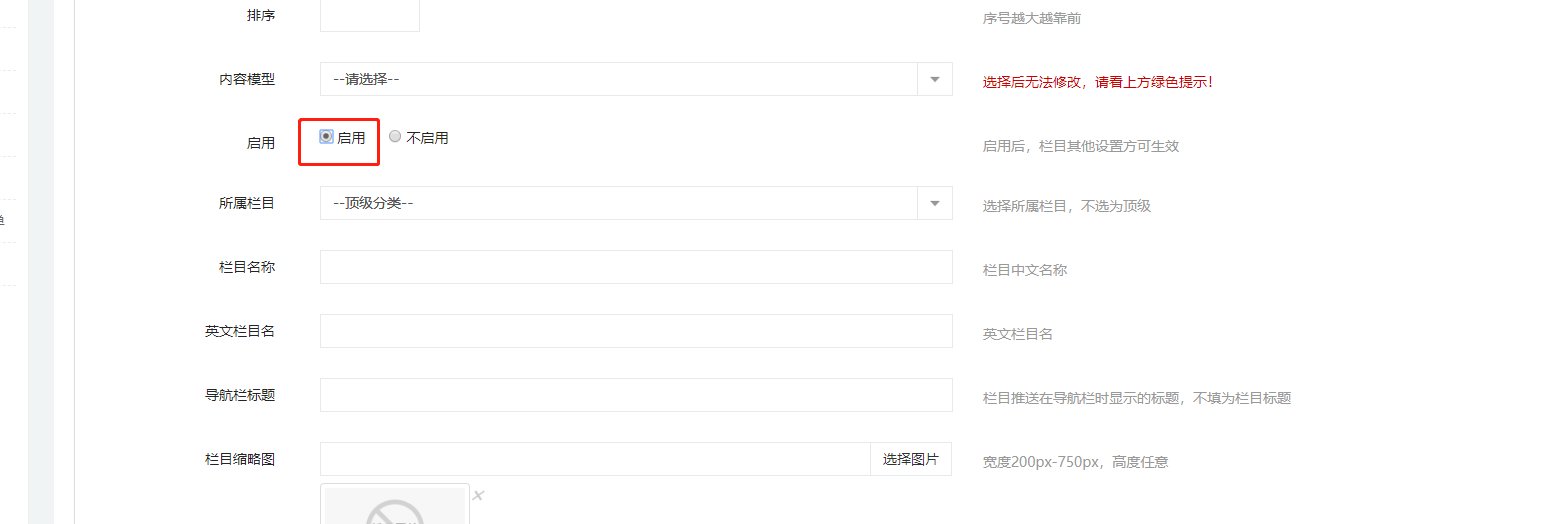
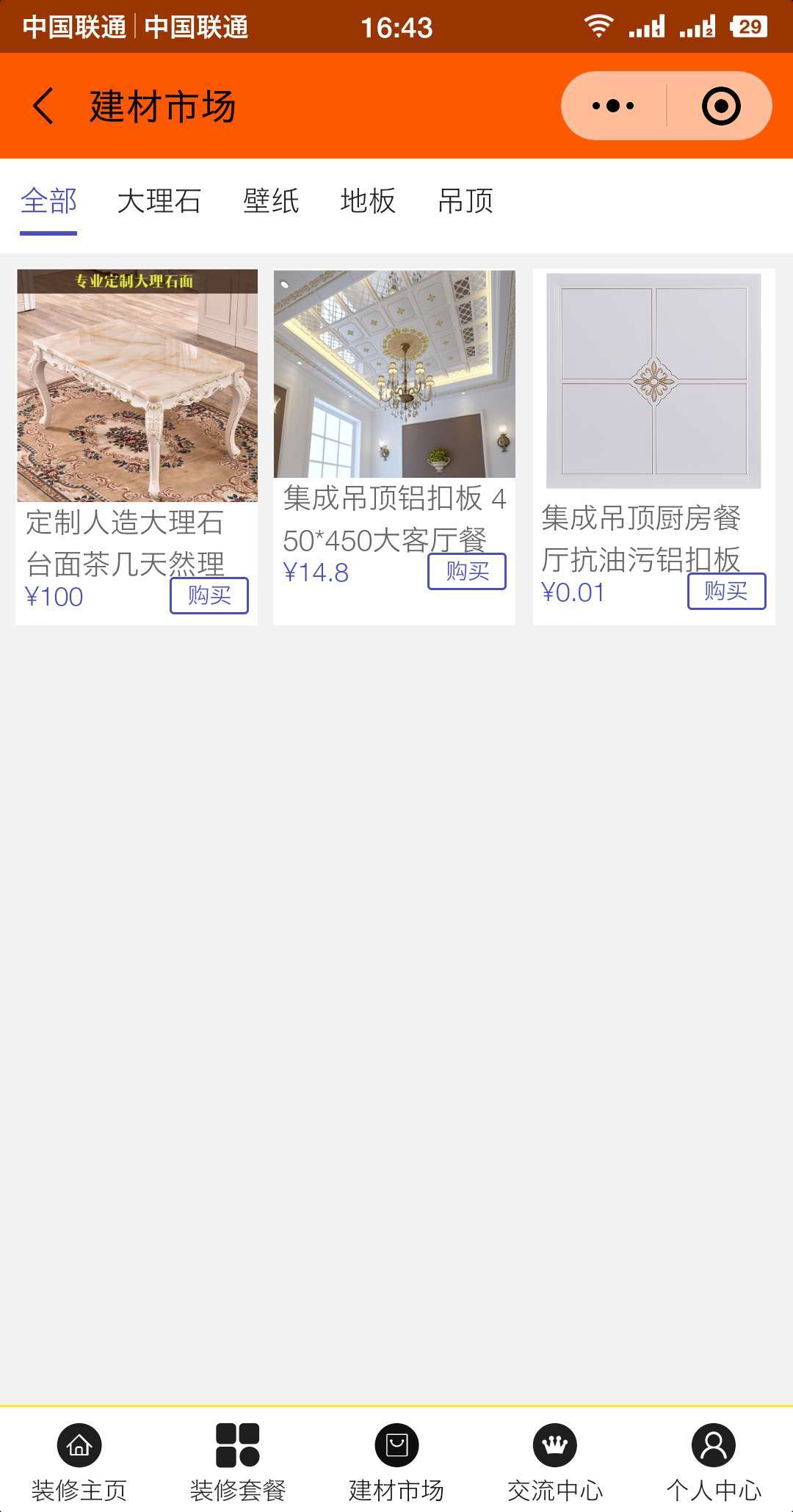
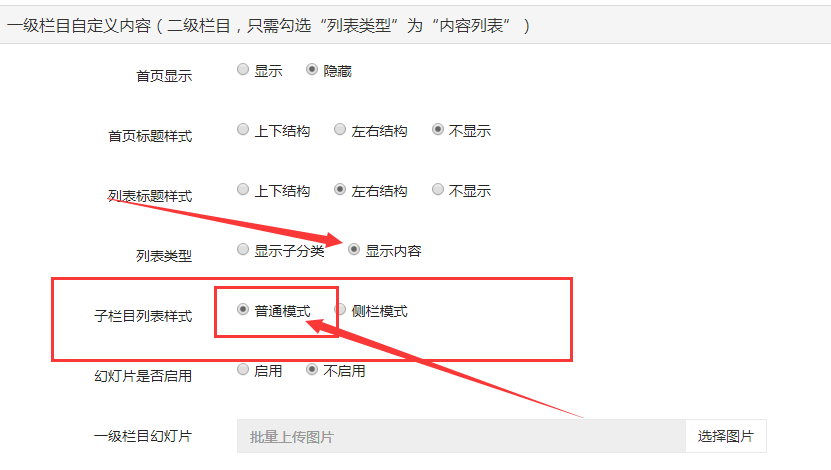
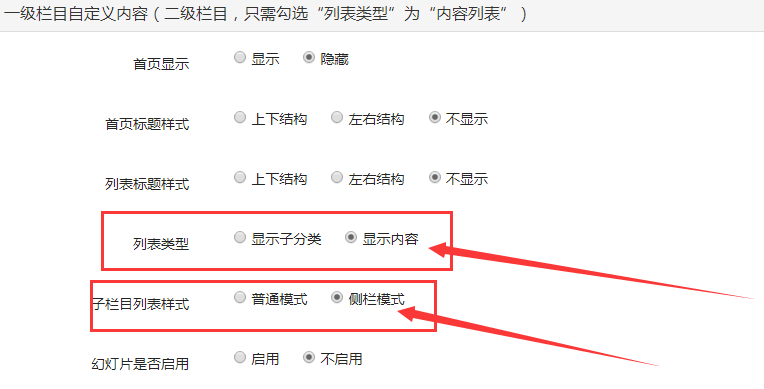
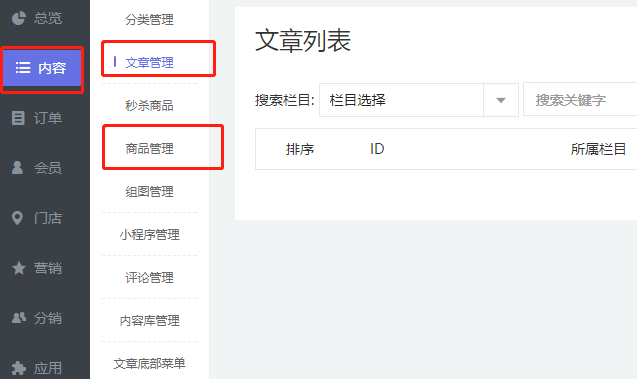
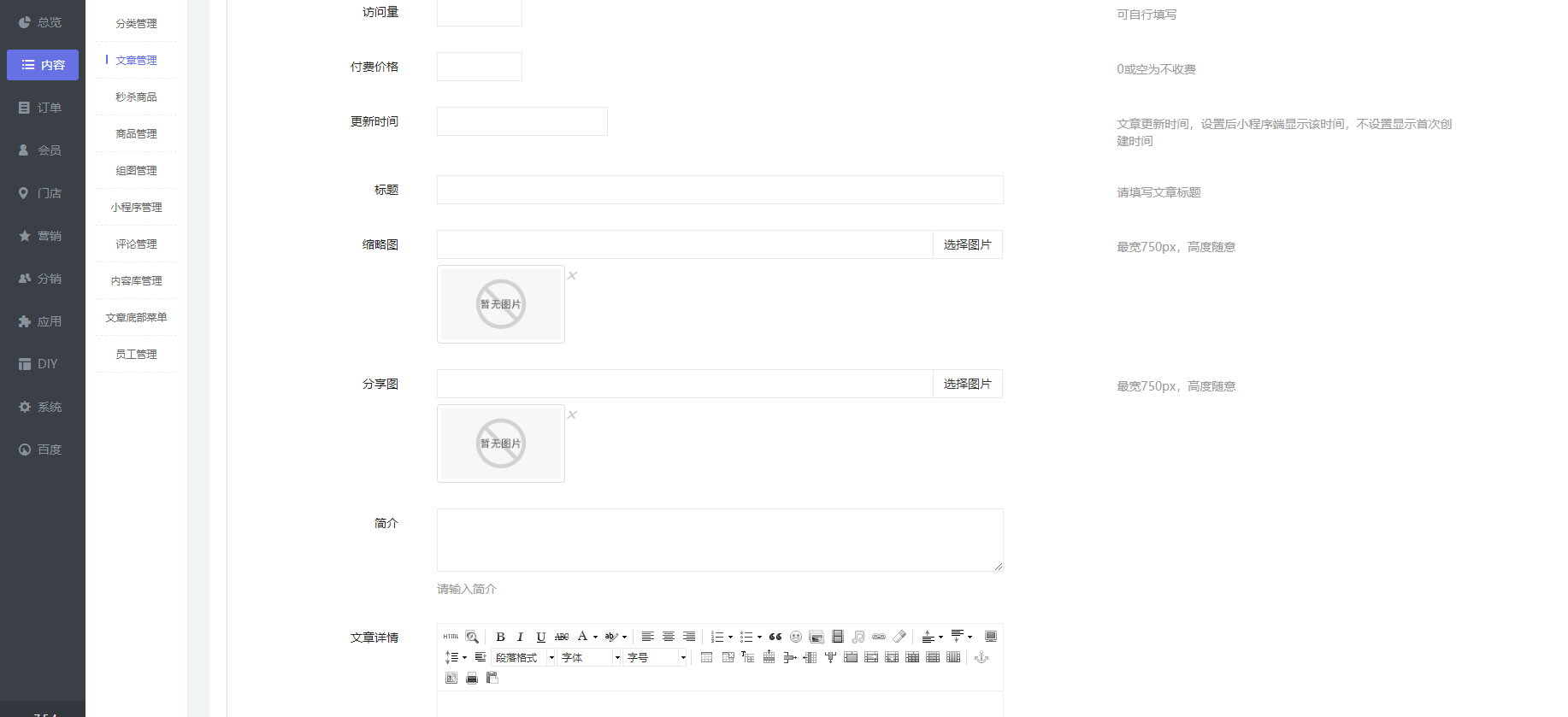
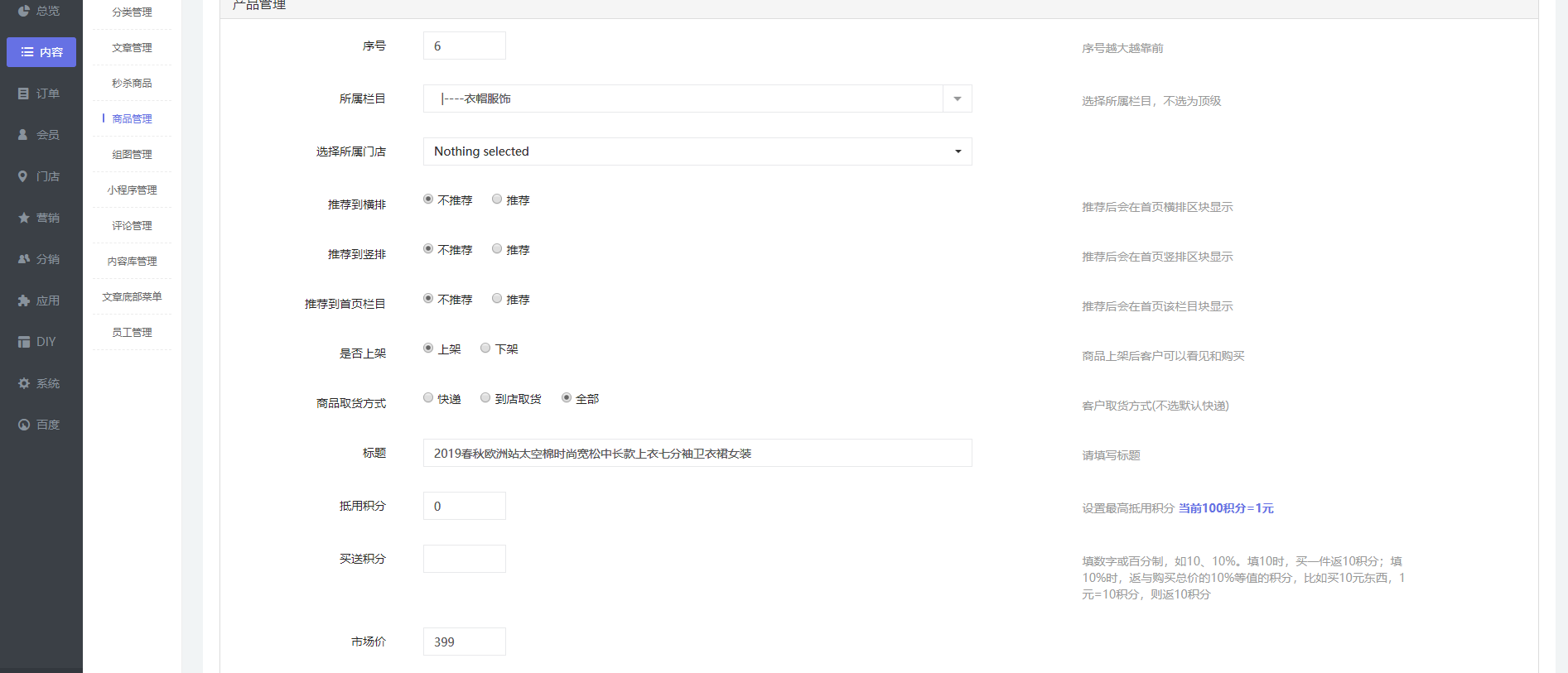
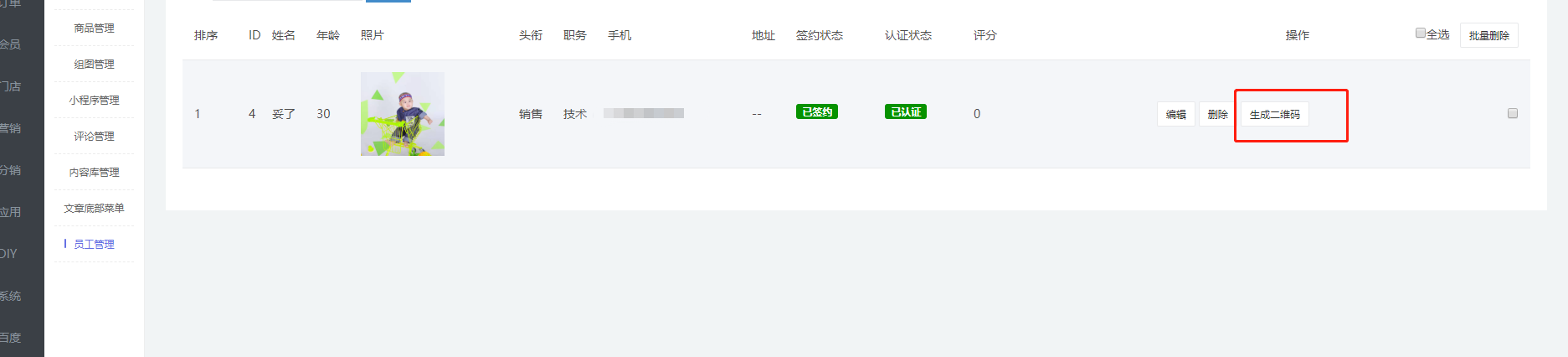
                [TOC] # 分類管理 點擊添加欄目,編輯、添加一級分類欄目 ![](https://img.kancloud.cn/0d/f3/0df35ed63a3b20c5e856e54529a9f6e9_1894x739.png) 注意看頂部提示 ![](https://img.kancloud.cn/87/c5/87c594637da889e532b96156bb4333e6_631x205.png) 然后在下方選擇框內,選擇你要創建的分類欄目類型 ![](https://img.kancloud.cn/3f/f3/3ff39ef231aaf7ec2ea7eb68a1f30465_1577x351.png) 這里勾選 啟用 ,表示這個先添加的欄目我們已經啟用。(如后續想關閉此欄目,可直接選擇不起用) ![](https://img.kancloud.cn/44/89/4489ae592fc07359933de489282e1808_1554x524.png) 設置欄目樣式 ![](https://img.kancloud.cn/fa/17/fa17ba13f953e60c7244e9f1200d328a_1918x567.png) **.****普通模式** 顯示內容的顯示模式,一級分類全部內容時三列大圖 ![](https://img.kancloud.cn/d4/d6/d4d6ac63079666927e8bc4a7cdf00fe6_1080x2060.jpg) 在一級欄目編輯內,找到一級欄目自定義內容,按照下圖方式設置 。列表類型:顯示內容。子欄目樣式:普通模式 ![](https://img.kancloud.cn/fd/27/fd27faf9c2a9ab4401b9f9034f0414b6_831x470.png) 欄目分類頁顯示樣式: 三列產品。(一級分類設置后,二級分類可以不設置) ![](https://img.kancloud.cn/8f/9b/8f9b16d8e4d26cf93cf0a027ba3d1e52_715x305.png) **側欄模式** 左右結構,二級分類在左側顯示,內容在右側 ![](https://img.kancloud.cn/c6/e8/c6e850e9f88598280f923ff245ba68ed_1080x2060.jpg) 上圖設置的方式為: 一級分類設置方式: 列表類型:顯示內容。 子欄目:側欄模式 ![](https://img.kancloud.cn/b9/45/b945d173622376af61135dcc28247ea9_764x389.png) 如設置二級或者三級的子分類,則在下圖紅框處,選擇上一級分類 ![](https://img.kancloud.cn/80/d1/80d12eecac509e5107ac5f4f49137bbf_1815x577.png) 編輯組圖欄目時,下方組圖內頁底部樣式如下 ![](https://img.kancloud.cn/d4/c9/d4c9ced1955847c6b5ee5cbf9986c7e0_1716x240.png) ![](https://img.kancloud.cn/e8/fd/e8fd6d47bc3aeb4b0891684cfdfb1f14_480x853.png) ***** # 文章管理 在分類中設置好分類以后,我們需要添加文章內容或商品內容:【內容】 -- 【文章管理】/【商品管理】 ![](https://img.kancloud.cn/d6/8b/d68b914efb36c0181931709a7e1aba64_637x379.png) 【文章管理】-- 【添加文章】 ![](https://img.kancloud.cn/3f/e5/3fe56bc7574ff07f090435b839451a68_577x163.png) 首先:選擇欄目 (使用DIY頁面布局)推薦可直接跳過。 ![](https://img.kancloud.cn/7e/fa/7efa56d8db1aa00a20bf71123f17be77_1902x338.png) 填寫文章的名稱,可以選擇文章是否付費。編輯文章內容。(否則直接忽略) 縮略圖(顯示在文章列表) ![](https://img.kancloud.cn/44/58/445816bb0c3ecab82f86d63eb695ff5e_1834x839.png) 可設置跳轉地址,文章底部選擇和表單選擇 ![](https://img.kancloud.cn/e1/2c/e12c609c8e314cc0c5dbae42af2514a0_1920x393.png) 還可以設置、添加視頻和音頻 ![](https://img.kancloud.cn/ec/c6/ecc60b5570885cdb99f76274f80c20d3_1462x895.png) 此篇文章的分銷設置 ![](https://img.kancloud.cn/c2/3f/c23f7d8e47c77a042e6e277f0ba25354_1920x443.png) 評論和好友點擊送積分設置 ![](https://img.kancloud.cn/55/a8/55a803f3c981327f9ba72a942e9a35d1_1920x513.png) ***** # 商品管理 點擊右上角,添加商品 ![](https://img.kancloud.cn/3d/d2/3dd2b1fb8e632b18fe6dfadd70064122_1914x605.png) 創建新商品,選擇商品所在欄目。(推薦選項可以忽略)設置標題。 (積分根據情況設置) 市場價格(為商品的原價,并非售價) ![](https://img.kancloud.cn/96/b0/96b04cd56e73388f03007fd3d7d06909_1893x813.png) 添加商品詳情內容。(會員和分銷,可根據情況選擇是否開啟) ![](https://img.kancloud.cn/74/ea/74ea34d143699f7982a427d6e4e932c1_1820x783.png) ![](https://img.kancloud.cn/cb/b9/cbb9aba41d2e7b552496bbd7306ab89d_1844x661.png) 保存后,點擊上面“規格/庫存”,設置規格,價格,庫存信息 ![](https://img.kancloud.cn/7d/cd/7dcd48fd0c00f6aa81f6257d7c706998_1818x810.png) 輸入規格組名稱,點擊添加 ![](https://img.kancloud.cn/92/39/9239c061e5c5f78293c7d05f2604b3ee_1595x498.png) 輸入規格值,點擊確定 ![](https://img.kancloud.cn/f3/2f/f32fe1b5062f562f8599ca947d15867d_1641x214.png) 設置庫存,價格等信息 ![](https://img.kancloud.cn/04/18/04186b4a2641e998e2fd13747c1e6c60_1840x586.png) 商品列表頁面,可查看管理商品評論 ![](https://img.kancloud.cn/a0/58/a0585adfcde51f0b61f6935d3152b2ac_1896x704.png) ***** # 秒殺商品 添加秒殺商品 ![](https://img.kancloud.cn/5d/39/5d39a3da5ac3b924d0f16bb99ccec5bd_1906x577.png) 選擇欄目,門店,是否上架 ![](https://img.kancloud.cn/84/d9/84d918227f3258b0b6a4342fc4808010_1764x829.png) 設置秒殺開始和結束時間 ![](https://img.kancloud.cn/10/ad/10ad883372af8872a00ebd5d48fec75b_1826x548.png) 市場價為原價,門店價位秒殺價格 ![](https://img.kancloud.cn/6f/e4/6fe458323bf146abe457c91d6e767500_1920x522.png) 編輯秒殺商品詳情 ![](https://img.kancloud.cn/c1/68/c1689021ef69f4cdc2c2deae23510f65_1766x849.png) 設置表單 ![](https://img.kancloud.cn/66/11/6611e2e36210ead14c6c9d12fd95b8cd_1803x383.png) ![](https://img.kancloud.cn/f7/dc/f7dc25fa0b82eed9260f880ba373df96_548x930.png) ***** # 組圖管理 點擊右上角,添加組圖 ![](https://img.kancloud.cn/e3/eb/e3eb9fb4f9cc92d75869789c0f800b19_1891x739.png) 選擇欄目,編輯名稱和首圖 ![](https://img.kancloud.cn/97/dc/97dc199eaf43f71729d62963f3351fe2_1838x752.png) 批量上傳組圖 ![](https://img.kancloud.cn/e2/ca/e2ca564669e51ce596ce1fdb5b8139b5_1914x592.png) 移動端頁面組圖樣式,左右滑動切換圖片 ![](https://img.kancloud.cn/f1/69/f1696b6de68b5fcf96fc19d2a1dc89a7_1080x1920.png) ***** # 小程序管理 點擊用右上角,添加小程序 ![](https://img.kancloud.cn/f4/e6/f4e6ad94a823647c2a96d9c4de4efaa8_1917x552.png) 選擇欄目,編輯名稱等信息。APPID在小程序官方后臺,開發--開發設置中 ![](https://img.kancloud.cn/43/2c/432c70c0e9680d8f61df10f3956a7265_1676x800.png) 路徑在小程序后臺,版本管理中 ![](https://img.kancloud.cn/75/65/75655802f42a56856304f6a0b8aee18f_1685x628.png) ***** # 評論管理 對提交的評論進行管理 ![](https://img.kancloud.cn/37/94/3794a98197658a1b07aa159898c89bb5_1904x410.png) ![](https://img.kancloud.cn/f8/02/f8025d6de73ae0385510ad77b49eaeda_1763x655.png) ***** # 文章底部菜單 先添加底部導航組 ![](https://img.kancloud.cn/39/aa/39aa4e62b95869261c0beaff81bf96c7_1798x571.png) 設置導航 ![](https://img.kancloud.cn/b1/98/b198e2aa6e7552cef7e0caa45fddbb6e_1790x729.png) ![](https://img.kancloud.cn/98/a1/98a1141360443aa2024033b022e9ff8c_454x895.png) ***** # 員工管理 點擊添加員工 ![](https://img.kancloud.cn/84/43/844330116b6e86d83690f7f4aef2dcc7_1910x653.png) 設置員工信息 ![](https://img.kancloud.cn/c6/60/c660641cce6a74e9936394ff839833bb_1852x862.png) 此處可生成員工二維碼,掃碼可查看員工頁面(員工頁面設置在系統---員工設置) ![](https://img.kancloud.cn/25/4e/254e3c7e27c80030f279f78228ea5317_1873x426.png) ![](https://img.kancloud.cn/a0/73/a07329e11aa21d0d8bb5aab6b947ec1b_480x880.png)
                  <ruby id="bdb3f"></ruby>

                  <p id="bdb3f"><cite id="bdb3f"></cite></p>

                    <p id="bdb3f"><cite id="bdb3f"><th id="bdb3f"></th></cite></p><p id="bdb3f"></p>
                      <p id="bdb3f"><cite id="bdb3f"></cite></p>

                        <pre id="bdb3f"></pre>
                        <pre id="bdb3f"><del id="bdb3f"><thead id="bdb3f"></thead></del></pre>

                        <ruby id="bdb3f"><mark id="bdb3f"></mark></ruby><ruby id="bdb3f"></ruby>
                        <pre id="bdb3f"><pre id="bdb3f"><mark id="bdb3f"></mark></pre></pre><output id="bdb3f"></output><p id="bdb3f"></p><p id="bdb3f"></p>

                        <pre id="bdb3f"><del id="bdb3f"><progress id="bdb3f"></progress></del></pre>

                              <ruby id="bdb3f"></ruby>

                              哎呀哎呀视频在线观看